").attr(n.scriptAttrs||{}).prop({charset:n.scriptCharset,src:n.url}).on("load error",i=function(e){r.remove(),i=null,e&&t("error"===e.type?404:200,e.type)}),C.head.appendChild(r[0])},abort:function(){i&&i()}}});var Jt,Kt=[],Zt=/(=)\?(?=&|$)|\?\?/;ce.ajaxSetup({jsonp:"callback",jsonpCallback:function(){var e=Kt.pop()||ce.expando+"_"+jt.guid++;return this[e]=!0,e}}),ce.ajaxPrefilter("json jsonp",function(e,t,n){var r,i,o,a=!1!==e.jsonp&&(Zt.test(e.url)?"url":"string"==typeof e.data&&0===(e.contentType||"").indexOf("application/x-www-form-urlencoded")&&Zt.test(e.data)&&"data");if(a||"jsonp"===e.dataTypes[0])return r=e.jsonpCallback=v(e.jsonpCallback)?e.jsonpCallback():e.jsonpCallback,a?e[a]=e[a].replace(Zt,"$1"+r):!1!==e.jsonp&&(e.url+=(At.test(e.url)?"&":"?")+e.jsonp+"="+r),e.converters["script json"]=function(){return o||ce.error(r+" was not called"),o[0]},e.dataTypes[0]="json",i=ie[r],ie[r]=function(){o=arguments},n.always(function(){void 0===i?ce(ie).removeProp(r):ie[r]=i,e[r]&&(e.jsonpCallback=t.jsonpCallback,Kt.push(r)),o&&v(i)&&i(o[0]),o=i=void 0}),"script"}),le.createHTMLDocument=((Jt=C.implementation.createHTMLDocument("").body).innerHTML="
",2===Jt.childNodes.length),ce.parseHTML=function(e,t,n){return"string"!=typeof e?[]:("boolean"==typeof t&&(n=t,t=!1),t||(le.createHTMLDocument?((r=(t=C.implementation.createHTMLDocument("")).createElement("base")).href=C.location.href,t.head.appendChild(r)):t=C),o=!n&&[],(i=w.exec(e))?[t.createElement(i[1])]:(i=Ae([e],t,o),o&&o.length&&ce(o).remove(),ce.merge([],i.childNodes)));var r,i,o},ce.fn.load=function(e,t,n){var r,i,o,a=this,s=e.indexOf(" ");return-1").append(ce.parseHTML(e)).find(r):e)}).always(n&&function(e,t){a.each(function(){n.apply(this,o||[e.responseText,t,e])})}),this},ce.expr.pseudos.animated=function(t){return ce.grep(ce.timers,function(e){return t===e.elem}).length},ce.offset={setOffset:function(e,t,n){var r,i,o,a,s,u,l=ce.css(e,"position"),c=ce(e),f={};"static"===l&&(e.style.position="relative"),s=c.offset(),o=ce.css(e,"top"),u=ce.css(e,"left"),("absolute"===l||"fixed"===l)&&-1<(o+u).indexOf("auto")?(a=(r=c.position()).top,i=r.left):(a=parseFloat(o)||0,i=parseFloat(u)||0),v(t)&&(t=t.call(e,n,ce.extend({},s))),null!=t.top&&(f.top=t.top-s.top+a),null!=t.left&&(f.left=t.left-s.left+i),"using"in t?t.using.call(e,f):c.css(f)}},ce.fn.extend({offset:function(t){if(arguments.length)return void 0===t?this:this.each(function(e){ce.offset.setOffset(this,t,e)});var e,n,r=this[0];return r?r.getClientRects().length?(e=r.getBoundingClientRect(),n=r.ownerDocument.defaultView,{top:e.top+n.pageYOffset,left:e.left+n.pageXOffset}):{top:0,left:0}:void 0},position:function(){if(this[0]){var e,t,n,r=this[0],i={top:0,left:0};if("fixed"===ce.css(r,"position"))t=r.getBoundingClientRect();else{t=this.offset(),n=r.ownerDocument,e=r.offsetParent||n.documentElement;while(e&&(e===n.body||e===n.documentElement)&&"static"===ce.css(e,"position"))e=e.parentNode;e&&e!==r&&1===e.nodeType&&((i=ce(e).offset()).top+=ce.css(e,"borderTopWidth",!0),i.left+=ce.css(e,"borderLeftWidth",!0))}return{top:t.top-i.top-ce.css(r,"marginTop",!0),left:t.left-i.left-ce.css(r,"marginLeft",!0)}}},offsetParent:function(){return this.map(function(){var e=this.offsetParent;while(e&&"static"===ce.css(e,"position"))e=e.offsetParent;return e||J})}}),ce.each({scrollLeft:"pageXOffset",scrollTop:"pageYOffset"},function(t,i){var o="pageYOffset"===i;ce.fn[t]=function(e){return M(this,function(e,t,n){var r;if(y(e)?r=e:9===e.nodeType&&(r=e.defaultView),void 0===n)return r?r[i]:e[t];r?r.scrollTo(o?r.pageXOffset:n,o?n:r.pageYOffset):e[t]=n},t,e,arguments.length)}}),ce.each(["top","left"],function(e,n){ce.cssHooks[n]=Ye(le.pixelPosition,function(e,t){if(t)return t=Ge(e,n),_e.test(t)?ce(e).position()[n]+"px":t})}),ce.each({Height:"height",Width:"width"},function(a,s){ce.each({padding:"inner"+a,content:s,"":"outer"+a},function(r,o){ce.fn[o]=function(e,t){var n=arguments.length&&(r||"boolean"!=typeof e),i=r||(!0===e||!0===t?"margin":"border");return M(this,function(e,t,n){var r;return y(e)?0===o.indexOf("outer")?e["inner"+a]:e.document.documentElement["client"+a]:9===e.nodeType?(r=e.documentElement,Math.max(e.body["scroll"+a],r["scroll"+a],e.body["offset"+a],r["offset"+a],r["client"+a])):void 0===n?ce.css(e,t,i):ce.style(e,t,n,i)},s,n?e:void 0,n)}})}),ce.each(["ajaxStart","ajaxStop","ajaxComplete","ajaxError","ajaxSuccess","ajaxSend"],function(e,t){ce.fn[t]=function(e){return this.on(t,e)}}),ce.fn.extend({bind:function(e,t,n){return this.on(e,null,t,n)},unbind:function(e,t){return this.off(e,null,t)},delegate:function(e,t,n,r){return this.on(t,e,n,r)},undelegate:function(e,t,n){return 1===arguments.length?this.off(e,"**"):this.off(t,e||"**",n)},hover:function(e,t){return this.on("mouseenter",e).on("mouseleave",t||e)}}),ce.each("blur focus focusin focusout resize scroll click dblclick mousedown mouseup mousemove mouseover mouseout mouseenter mouseleave change select submit keydown keypress keyup contextmenu".split(" "),function(e,n){ce.fn[n]=function(e,t){return 0
Street View Download 360 4.0.17
インターネットそのほか
2022/01/27 11:38
説明機能仕様ダウンロード画像使い方
Google マップのストリートビューの画像の保存と表示ができるアプリ

Google マップのストリートビューの画像をダウンロードすることができる、Windows / Mac / Linux 向けのフリーソフト。ストリートビューのパノラマ画像をダウンロードして保存し、表示することができます。
Street View Download 360 の概要
Street View Download 360 は、Google ストリートビューの画像をダウンロードするアプリケーションです。
Street View Download 360 の機能
Street View Download 360 の主な機能です。
| 機能 |
概要 |
| メイン機能 |
Google ストリートビューの画像をダウンロードする |
| 機能詳細 |
・ストリートビューのパノラマ画像をダウンロードする
・パノラマ画像を表示して閲覧する
・JPG、PNG、WebP ファイルに保存します
・あらゆるタイプのストリートビューパノラマに対応 |
ストリートビューの画像を保存できます
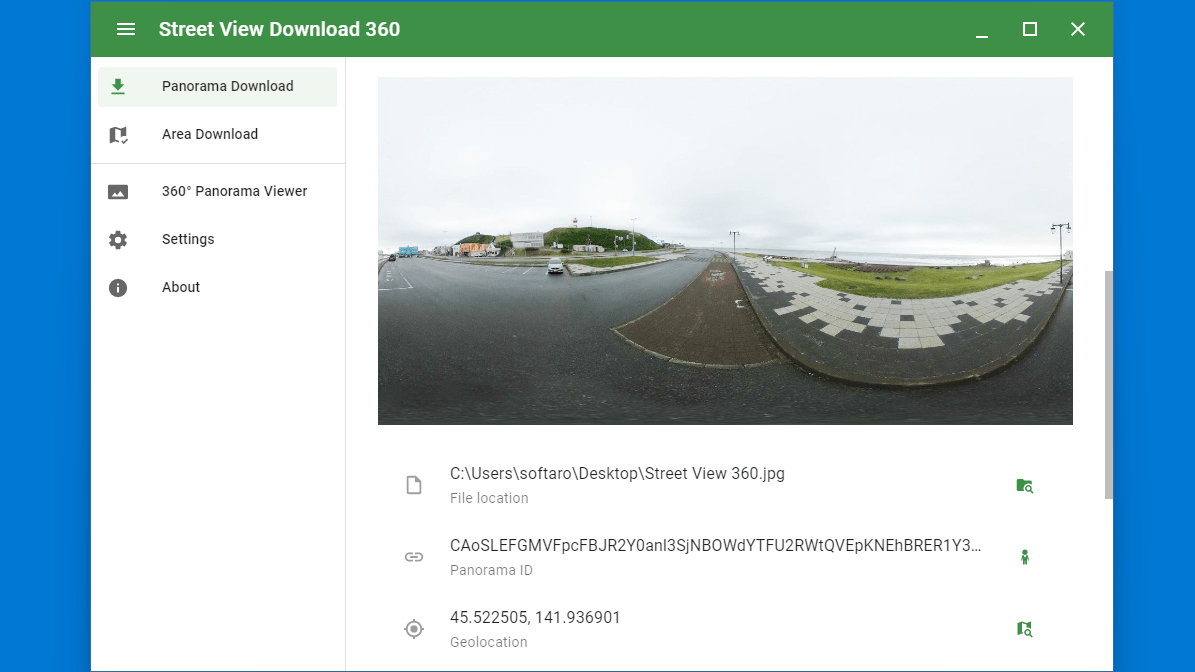
Street View Download 360 は、Google マップのストリートビューのパノラマ画像をダウンロードしてオフラインで保存および表示することができるアプリケーションです。
ストリートビューのパノラマ画像を保存したり、印刷したり、ほかのデバイスに送信したり、画像をコピーして編集したい場合に役に立ちます。
パノラマ画像を表示することもできます
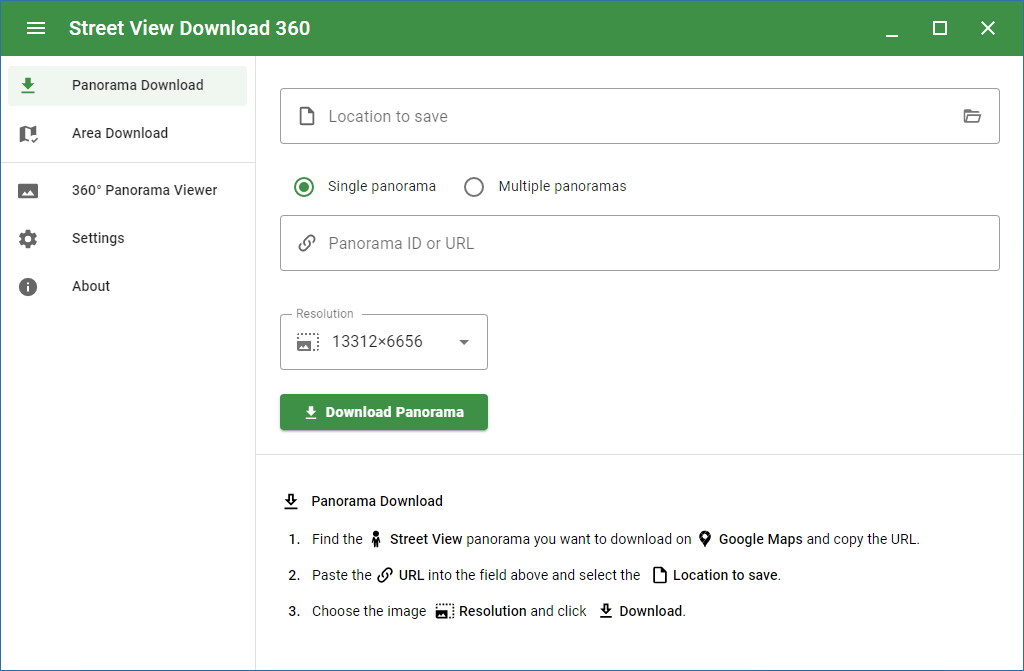
Street View Download 360 の使い方はかんたんで、取得したい Google マップのストリートビューの URL または ID をアプリに貼り付けて、画像の解像度と保存先を指定し、ボタンをクリックするだけです。
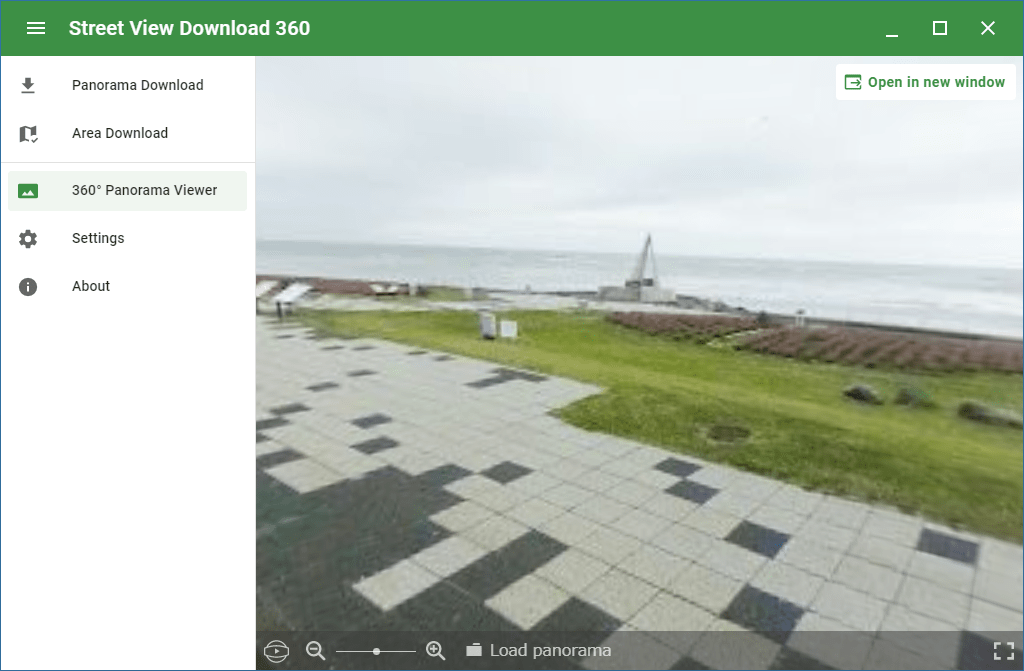
ダウンロードしたパノラマ画像は、アプリに内蔵されているビューアで Google マップと同じように 360 度で表示して確認することができます。
ストリートビューの画像を保存して見ることができるアプリケーション
Street View Download 360 は、Google マップのストリートビューの画像をダウンロードすることができる便利なアプリケーションです。ストリートビューのパノラマ画像を任意の解像度で保存して表示することができます。
機能
- ストリートビューのパノラマ画像をダウンロードする
- パノラマ画像を表示して閲覧する
- 最大 16384×8192 ピクセルの解像度の画像をダウンロードできます
- JPG、PNG、WebP ファイルに保存します
- あらゆるタイプのストリートビューパノラマで機能します
価格:無料
動作環境:Windows 7|8|8.1|10|11・Mac・Linux
使用言語:英語
最終更新日:
2年前 (2023/10/27)
ダウンロード数:3802
画像

ユーザーインターフェース

画像のダウンロード

パノラマ画像の閲覧

設定
使い方
インストール
1.インストール方法(Windows)
- ダウンロードしたインストーラを実行するとインストールが完了します。
基本的な使い方
1.Google マップのストリートビューの画像をダウンロードする
- 「Panorama ID orURL」に、Google マップのストリートビューの URL を貼り付けます。
- 「Resolution」で、ダウンロードする画像の解像度を選択します。
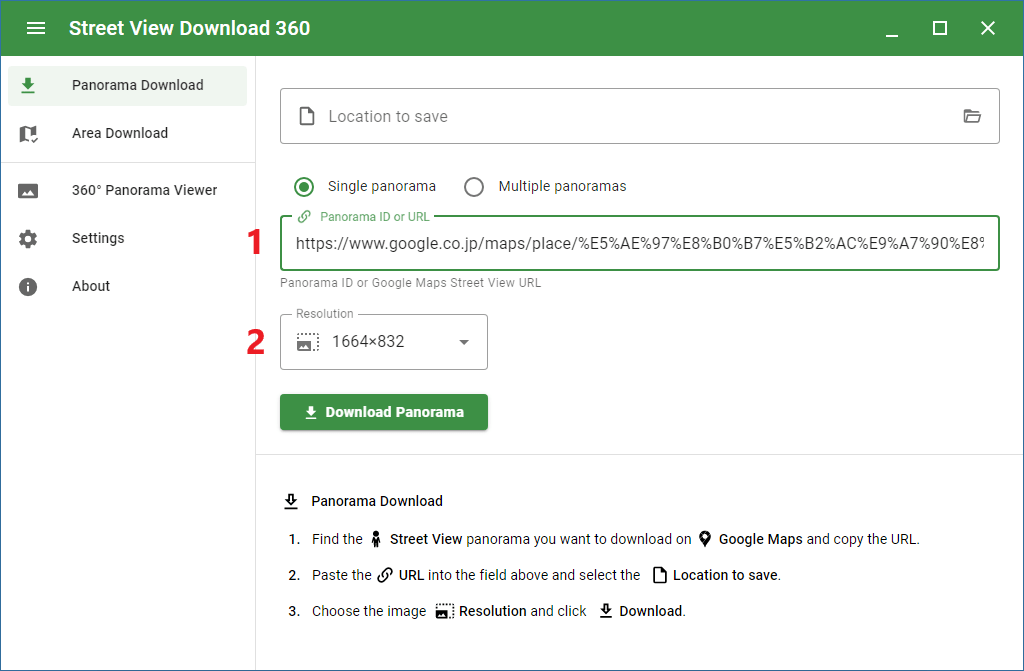
- 「Location to save」で画像の保存先を選択します。
- [Download Panorama]ボタンをクリックすると、画像のダウンロードが開始します。
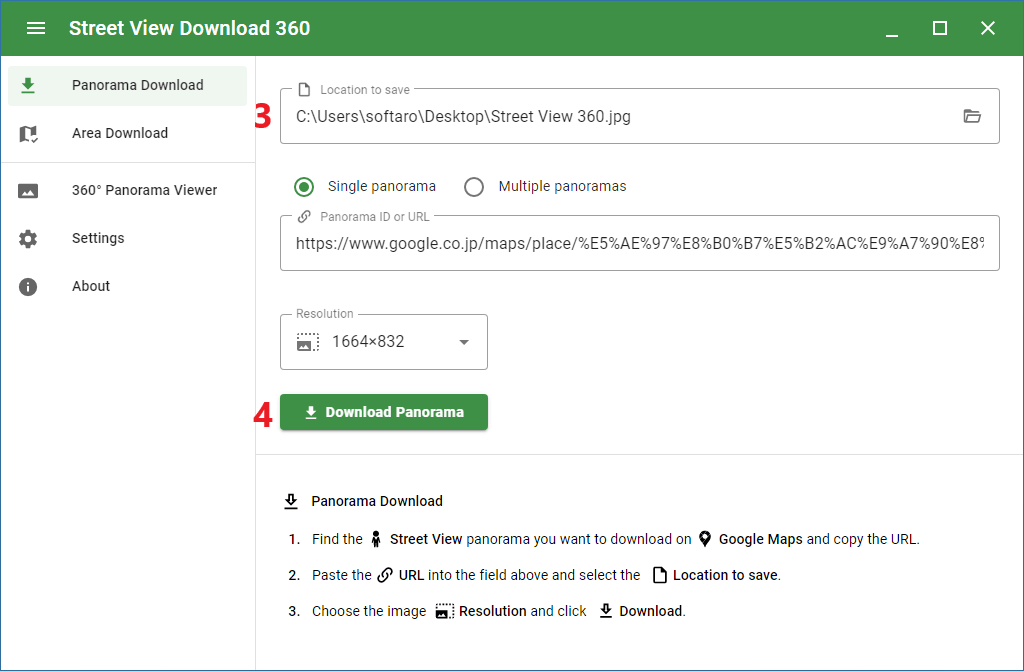
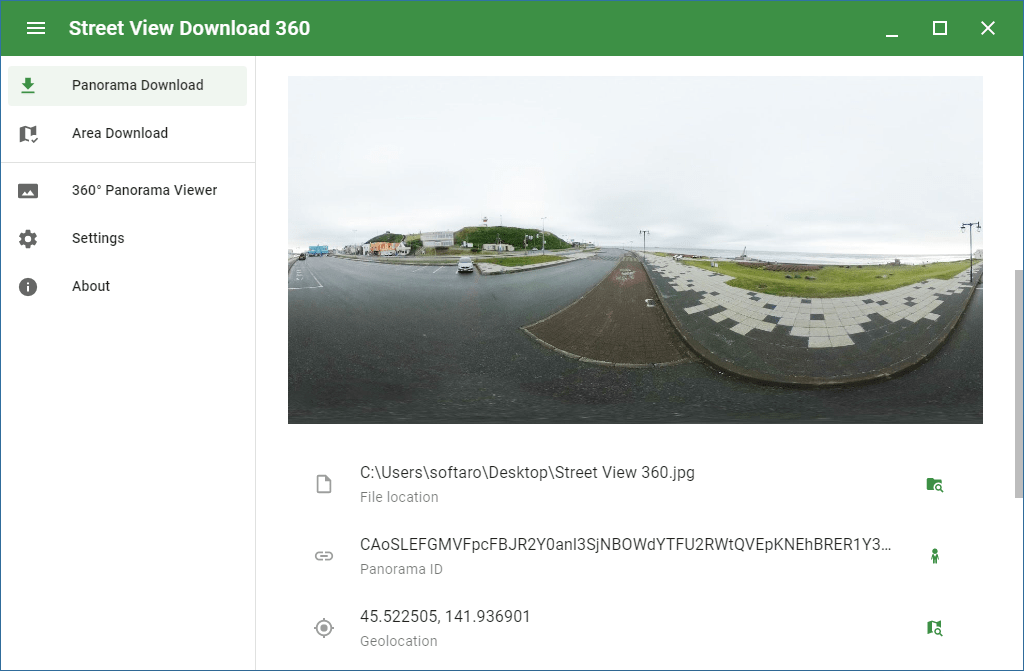
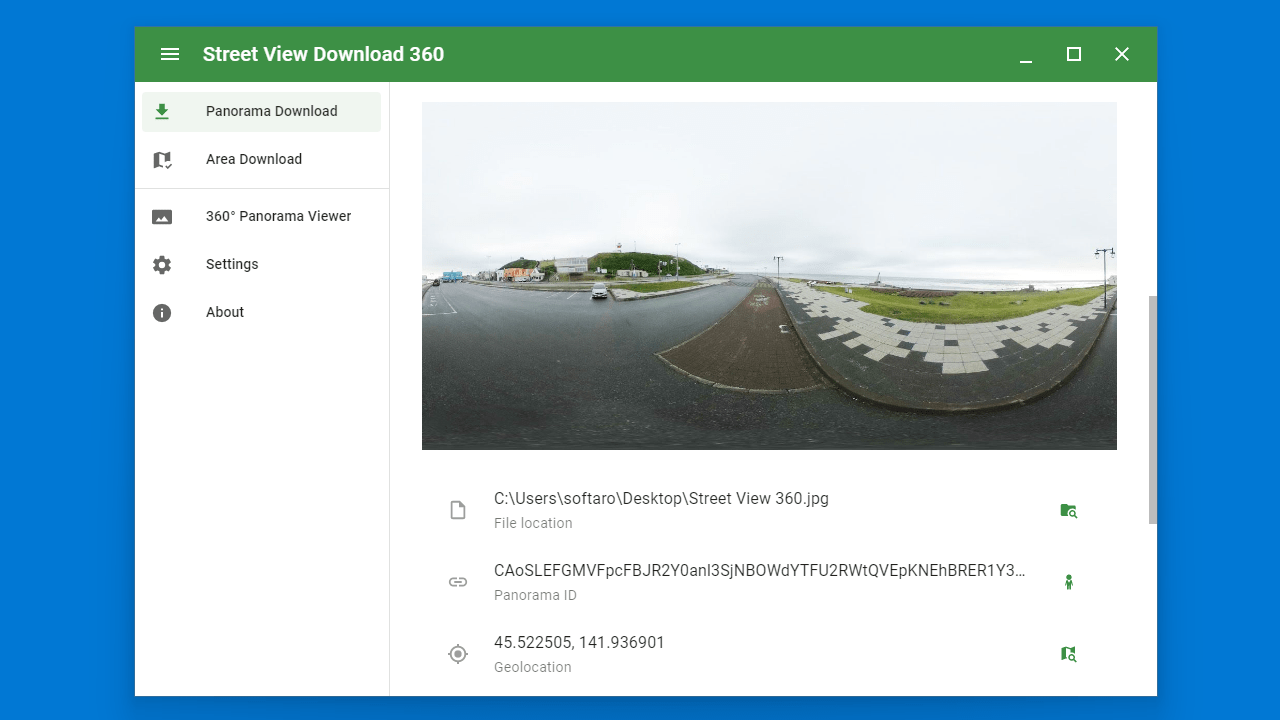
- ページを下部にスクロールすると、ダウンロードした画像の詳細を確認できます。

2.360° Panorama Viewer
- 「360° Panorama Viewer」では、ダウンロードしたパノラマ画像を表示できます。
3.Settings
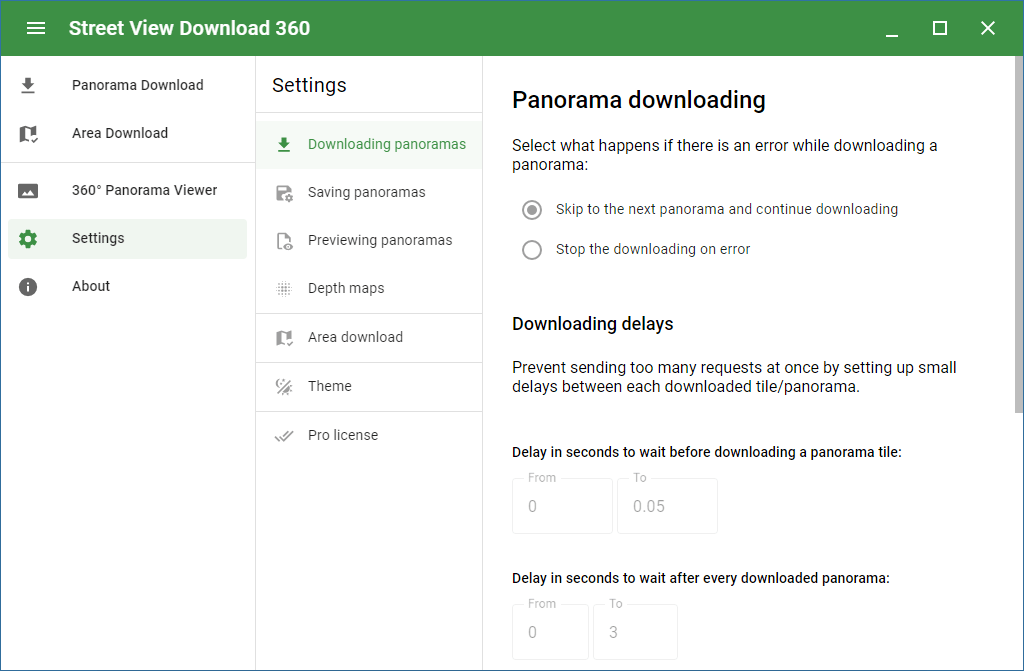
- 「Settings」では、アプリの設定ができます。

よくある質問と回答
ライセンスについて。
Street View Download 360 は、どなたでも無料で利用できます。