").attr(n.scriptAttrs||{}).prop({charset:n.scriptCharset,src:n.url}).on("load error",i=function(e){r.remove(),i=null,e&&t("error"===e.type?404:200,e.type)}),C.head.appendChild(r[0])},abort:function(){i&&i()}}});var Jt,Kt=[],Zt=/(=)\?(?=&|$)|\?\?/;ce.ajaxSetup({jsonp:"callback",jsonpCallback:function(){var e=Kt.pop()||ce.expando+"_"+jt.guid++;return this[e]=!0,e}}),ce.ajaxPrefilter("json jsonp",function(e,t,n){var r,i,o,a=!1!==e.jsonp&&(Zt.test(e.url)?"url":"string"==typeof e.data&&0===(e.contentType||"").indexOf("application/x-www-form-urlencoded")&&Zt.test(e.data)&&"data");if(a||"jsonp"===e.dataTypes[0])return r=e.jsonpCallback=v(e.jsonpCallback)?e.jsonpCallback():e.jsonpCallback,a?e[a]=e[a].replace(Zt,"$1"+r):!1!==e.jsonp&&(e.url+=(At.test(e.url)?"&":"?")+e.jsonp+"="+r),e.converters["script json"]=function(){return o||ce.error(r+" was not called"),o[0]},e.dataTypes[0]="json",i=ie[r],ie[r]=function(){o=arguments},n.always(function(){void 0===i?ce(ie).removeProp(r):ie[r]=i,e[r]&&(e.jsonpCallback=t.jsonpCallback,Kt.push(r)),o&&v(i)&&i(o[0]),o=i=void 0}),"script"}),le.createHTMLDocument=((Jt=C.implementation.createHTMLDocument("").body).innerHTML="
",2===Jt.childNodes.length),ce.parseHTML=function(e,t,n){return"string"!=typeof e?[]:("boolean"==typeof t&&(n=t,t=!1),t||(le.createHTMLDocument?((r=(t=C.implementation.createHTMLDocument("")).createElement("base")).href=C.location.href,t.head.appendChild(r)):t=C),o=!n&&[],(i=w.exec(e))?[t.createElement(i[1])]:(i=Ae([e],t,o),o&&o.length&&ce(o).remove(),ce.merge([],i.childNodes)));var r,i,o},ce.fn.load=function(e,t,n){var r,i,o,a=this,s=e.indexOf(" ");return-1").append(ce.parseHTML(e)).find(r):e)}).always(n&&function(e,t){a.each(function(){n.apply(this,o||[e.responseText,t,e])})}),this},ce.expr.pseudos.animated=function(t){return ce.grep(ce.timers,function(e){return t===e.elem}).length},ce.offset={setOffset:function(e,t,n){var r,i,o,a,s,u,l=ce.css(e,"position"),c=ce(e),f={};"static"===l&&(e.style.position="relative"),s=c.offset(),o=ce.css(e,"top"),u=ce.css(e,"left"),("absolute"===l||"fixed"===l)&&-1<(o+u).indexOf("auto")?(a=(r=c.position()).top,i=r.left):(a=parseFloat(o)||0,i=parseFloat(u)||0),v(t)&&(t=t.call(e,n,ce.extend({},s))),null!=t.top&&(f.top=t.top-s.top+a),null!=t.left&&(f.left=t.left-s.left+i),"using"in t?t.using.call(e,f):c.css(f)}},ce.fn.extend({offset:function(t){if(arguments.length)return void 0===t?this:this.each(function(e){ce.offset.setOffset(this,t,e)});var e,n,r=this[0];return r?r.getClientRects().length?(e=r.getBoundingClientRect(),n=r.ownerDocument.defaultView,{top:e.top+n.pageYOffset,left:e.left+n.pageXOffset}):{top:0,left:0}:void 0},position:function(){if(this[0]){var e,t,n,r=this[0],i={top:0,left:0};if("fixed"===ce.css(r,"position"))t=r.getBoundingClientRect();else{t=this.offset(),n=r.ownerDocument,e=r.offsetParent||n.documentElement;while(e&&(e===n.body||e===n.documentElement)&&"static"===ce.css(e,"position"))e=e.parentNode;e&&e!==r&&1===e.nodeType&&((i=ce(e).offset()).top+=ce.css(e,"borderTopWidth",!0),i.left+=ce.css(e,"borderLeftWidth",!0))}return{top:t.top-i.top-ce.css(r,"marginTop",!0),left:t.left-i.left-ce.css(r,"marginLeft",!0)}}},offsetParent:function(){return this.map(function(){var e=this.offsetParent;while(e&&"static"===ce.css(e,"position"))e=e.offsetParent;return e||J})}}),ce.each({scrollLeft:"pageXOffset",scrollTop:"pageYOffset"},function(t,i){var o="pageYOffset"===i;ce.fn[t]=function(e){return M(this,function(e,t,n){var r;if(y(e)?r=e:9===e.nodeType&&(r=e.defaultView),void 0===n)return r?r[i]:e[t];r?r.scrollTo(o?r.pageXOffset:n,o?n:r.pageYOffset):e[t]=n},t,e,arguments.length)}}),ce.each(["top","left"],function(e,n){ce.cssHooks[n]=Ye(le.pixelPosition,function(e,t){if(t)return t=Ge(e,n),_e.test(t)?ce(e).position()[n]+"px":t})}),ce.each({Height:"height",Width:"width"},function(a,s){ce.each({padding:"inner"+a,content:s,"":"outer"+a},function(r,o){ce.fn[o]=function(e,t){var n=arguments.length&&(r||"boolean"!=typeof e),i=r||(!0===e||!0===t?"margin":"border");return M(this,function(e,t,n){var r;return y(e)?0===o.indexOf("outer")?e["inner"+a]:e.document.documentElement["client"+a]:9===e.nodeType?(r=e.documentElement,Math.max(e.body["scroll"+a],r["scroll"+a],e.body["offset"+a],r["offset"+a],r["client"+a])):void 0===n?ce.css(e,t,i):ce.style(e,t,n,i)},s,n?e:void 0,n)}})}),ce.each(["ajaxStart","ajaxStop","ajaxComplete","ajaxError","ajaxSuccess","ajaxSend"],function(e,t){ce.fn[t]=function(e){return this.on(t,e)}}),ce.fn.extend({bind:function(e,t,n){return this.on(e,null,t,n)},unbind:function(e,t){return this.off(e,null,t)},delegate:function(e,t,n,r){return this.on(t,e,n,r)},undelegate:function(e,t,n){return 1===arguments.length?this.off(e,"**"):this.off(t,e||"**",n)},hover:function(e,t){return this.on("mouseenter",e).on("mouseleave",t||e)}}),ce.each("blur focus focusin focusout resize scroll click dblclick mousedown mouseup mousemove mouseover mouseout mouseenter mouseleave change select submit keydown keypress keyup contextmenu".split(" "),function(e,n){ce.fn[n]=function(e,t){return 0
MemoryCleaner 1.9.8.0
メモリ最適化
2022/05/11 14:502026/04/10 10:08
説明 機能 仕様 ダウンロード 画像 使い方
不要なメモリの解放を自動化することもできる、WIndows 用のメモリクリーナー
Windows 上の不要なメモリをクリーンアップしてメモリを最適化することができるフリーのメモリクリーナー。使用されていないメモリを解放してメモリの空き量量を増やして、システムのパフォーマンスを向上させることができます。
MemoryCleaner の概要
MemoryCleaner は、メモリをクリーンアップするポータブルなプログラムです。
MemoryCleaner の機能
MemoryCleaner の主な機能です。
機能
概要
メイン機能
メモリクリーナー
機能詳細
・使われていない不要なメモリを解放してメモリを最適化する
・メモリ使用量が指定したパーセント以上になったらメモリを最適化する
・指定した時間(分)ごとにメモリを最適化する
Windows 上の不要なメモリをクリーンアップします
MemoryCleaner は、Windows 上の使われていない不要なメモリ(ワーキングセット)を解放して、物理的なメモリの空き容量を増やすことができるメモリクリーナーです。
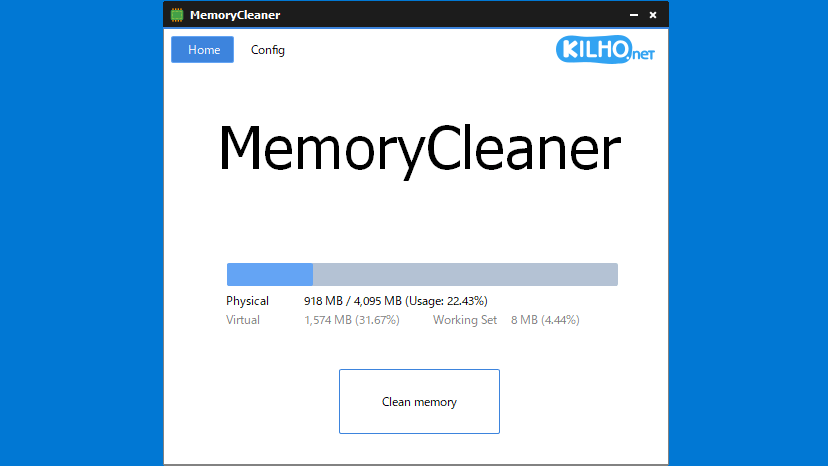
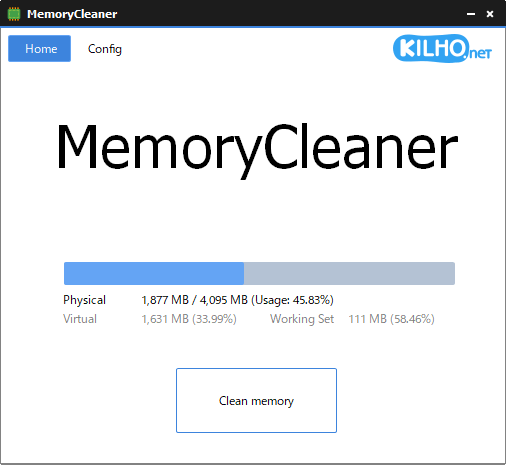
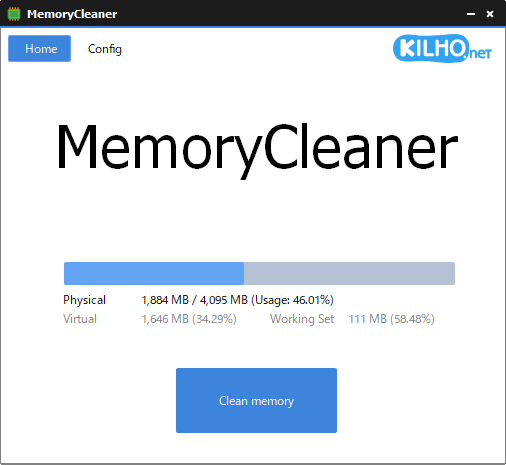
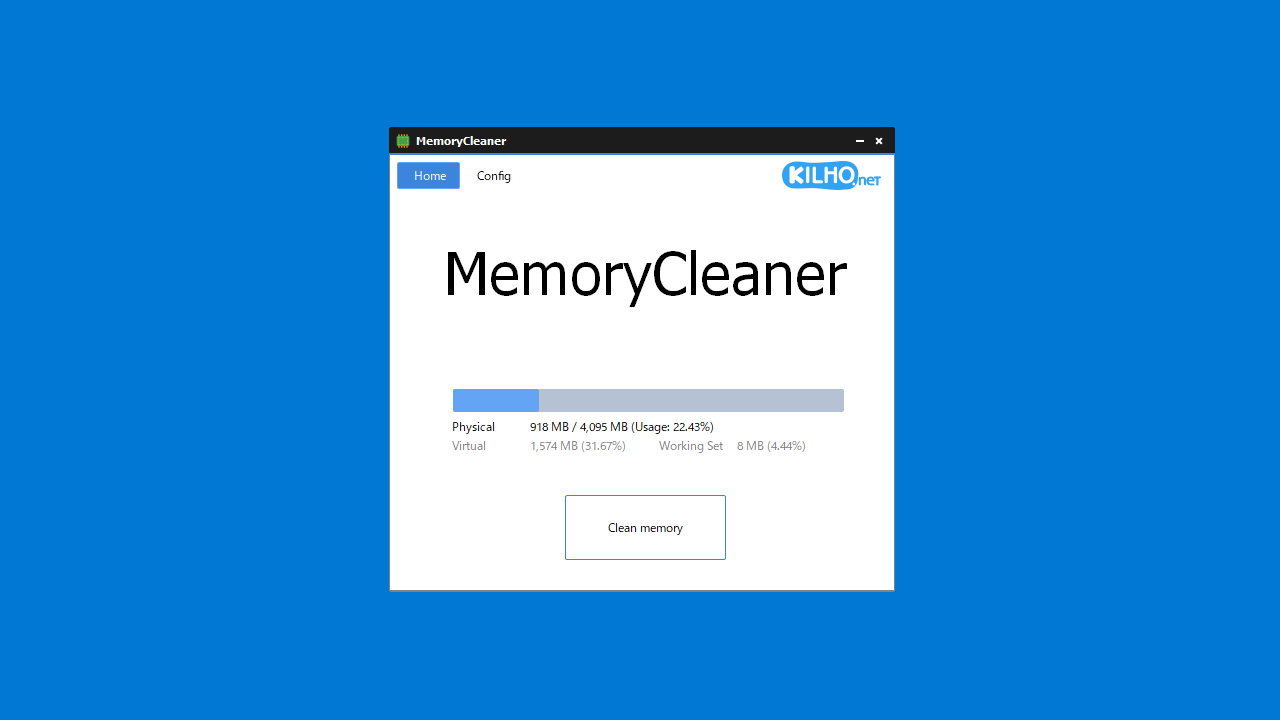
アプリのユーザーインターフェースには、物理メモリおよび仮想メモリの現在の使用量が表示され、ボタンをクリックするだけでメモリをクリーンアップすることができます。
メモリのクリーンアップを自動化できます
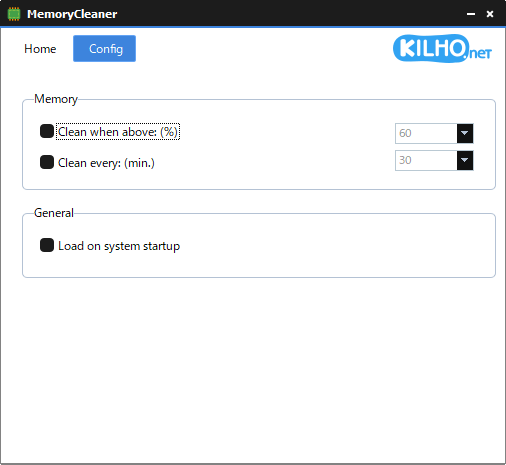
MemoryCleaner を使用すると、システムのメモリ使用量が指定したパーセント以上になった場合にメモリを自動的にクリーンアップ(最適化)したり、指定した時間(分)間隔で自動的にメモリを最適化することができます。
また、Windows 起動時にアプリを起動するように設定できるので、メモリの管理をアプリに任せておくことができます。
シンプルで使いやすいメモリクリーナー
PC を長時間起動したまま経過すると、メモリの消費量が多くなり、PC の動作が遅くなることがあります。MemoryCleaner を使用すると、使用されていないアプリのメモリを解放して実質的にメモリを最適化するので、PC のパフォーマンスを向上させることができます。特に、メモリ消費量の多いアプリを使用していたり、PC のメモリ容量が少ない場合に役に立ちます
機能
使われていない不要なメモリを解放してメモリを最適化する
メモリ使用量が指定したパーセント以上になったらメモリを最適化する
指定した時間(分)ごとにメモリを最適化する
Windows 起動時に MemoryCleaner を起動する
価格: 無料
動作環境: Windows 7|8|8.1|10|11
使用言語: 英語
最終更新日:
2週間前 (2026/04/10)
ダウンロード数: 1390
画像
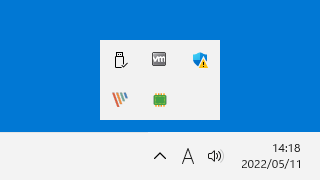
トレイアイコン
ユーザーインターフェース
設定
使い方
インストール
1.インストール方法
MemoryCleaner はインストール不要で使用できます。
ダウンロードした「MemoryCleaner.exe 」ファイルを実行すると、アプリケーションを使用できます。
基本的な使い方
1. 基本的な使い方
MemoryCleaner を起動すると、中央に現在のメモリ使用量が表示されます。
[Clean Memory ]ボタンをクリックすると、使用されていないメモリが解放されます。
2.設定
「Config 」タブでは、メモリ最適化の自動化や自動起動といったアプリの設定ができます。
・Clean when above (%) :メモリ使用量が指定したパーセント以上になったらメモリを最適化する
・Clean every: (min.) :指定した時間(分)ごとにメモリを最適化する
・Load on system startup :Windows 起動時に MemoryCleaner を起動する
よくある質問と回答
ライセンスについて。
ユーザーレビュー
レビューはまだありません、 最初のレビューを投稿してください。コメントは任意です。
MemoryCleaner は、どなたでも無料で利用できます。