").attr(n.scriptAttrs||{}).prop({charset:n.scriptCharset,src:n.url}).on("load error",i=function(e){r.remove(),i=null,e&&t("error"===e.type?404:200,e.type)}),C.head.appendChild(r[0])},abort:function(){i&&i()}}});var Jt,Kt=[],Zt=/(=)\?(?=&|$)|\?\?/;ce.ajaxSetup({jsonp:"callback",jsonpCallback:function(){var e=Kt.pop()||ce.expando+"_"+jt.guid++;return this[e]=!0,e}}),ce.ajaxPrefilter("json jsonp",function(e,t,n){var r,i,o,a=!1!==e.jsonp&&(Zt.test(e.url)?"url":"string"==typeof e.data&&0===(e.contentType||"").indexOf("application/x-www-form-urlencoded")&&Zt.test(e.data)&&"data");if(a||"jsonp"===e.dataTypes[0])return r=e.jsonpCallback=v(e.jsonpCallback)?e.jsonpCallback():e.jsonpCallback,a?e[a]=e[a].replace(Zt,"$1"+r):!1!==e.jsonp&&(e.url+=(At.test(e.url)?"&":"?")+e.jsonp+"="+r),e.converters["script json"]=function(){return o||ce.error(r+" was not called"),o[0]},e.dataTypes[0]="json",i=ie[r],ie[r]=function(){o=arguments},n.always(function(){void 0===i?ce(ie).removeProp(r):ie[r]=i,e[r]&&(e.jsonpCallback=t.jsonpCallback,Kt.push(r)),o&&v(i)&&i(o[0]),o=i=void 0}),"script"}),le.createHTMLDocument=((Jt=C.implementation.createHTMLDocument("").body).innerHTML="
",2===Jt.childNodes.length),ce.parseHTML=function(e,t,n){return"string"!=typeof e?[]:("boolean"==typeof t&&(n=t,t=!1),t||(le.createHTMLDocument?((r=(t=C.implementation.createHTMLDocument("")).createElement("base")).href=C.location.href,t.head.appendChild(r)):t=C),o=!n&&[],(i=w.exec(e))?[t.createElement(i[1])]:(i=Ae([e],t,o),o&&o.length&&ce(o).remove(),ce.merge([],i.childNodes)));var r,i,o},ce.fn.load=function(e,t,n){var r,i,o,a=this,s=e.indexOf(" ");return-1").append(ce.parseHTML(e)).find(r):e)}).always(n&&function(e,t){a.each(function(){n.apply(this,o||[e.responseText,t,e])})}),this},ce.expr.pseudos.animated=function(t){return ce.grep(ce.timers,function(e){return t===e.elem}).length},ce.offset={setOffset:function(e,t,n){var r,i,o,a,s,u,l=ce.css(e,"position"),c=ce(e),f={};"static"===l&&(e.style.position="relative"),s=c.offset(),o=ce.css(e,"top"),u=ce.css(e,"left"),("absolute"===l||"fixed"===l)&&-1<(o+u).indexOf("auto")?(a=(r=c.position()).top,i=r.left):(a=parseFloat(o)||0,i=parseFloat(u)||0),v(t)&&(t=t.call(e,n,ce.extend({},s))),null!=t.top&&(f.top=t.top-s.top+a),null!=t.left&&(f.left=t.left-s.left+i),"using"in t?t.using.call(e,f):c.css(f)}},ce.fn.extend({offset:function(t){if(arguments.length)return void 0===t?this:this.each(function(e){ce.offset.setOffset(this,t,e)});var e,n,r=this[0];return r?r.getClientRects().length?(e=r.getBoundingClientRect(),n=r.ownerDocument.defaultView,{top:e.top+n.pageYOffset,left:e.left+n.pageXOffset}):{top:0,left:0}:void 0},position:function(){if(this[0]){var e,t,n,r=this[0],i={top:0,left:0};if("fixed"===ce.css(r,"position"))t=r.getBoundingClientRect();else{t=this.offset(),n=r.ownerDocument,e=r.offsetParent||n.documentElement;while(e&&(e===n.body||e===n.documentElement)&&"static"===ce.css(e,"position"))e=e.parentNode;e&&e!==r&&1===e.nodeType&&((i=ce(e).offset()).top+=ce.css(e,"borderTopWidth",!0),i.left+=ce.css(e,"borderLeftWidth",!0))}return{top:t.top-i.top-ce.css(r,"marginTop",!0),left:t.left-i.left-ce.css(r,"marginLeft",!0)}}},offsetParent:function(){return this.map(function(){var e=this.offsetParent;while(e&&"static"===ce.css(e,"position"))e=e.offsetParent;return e||J})}}),ce.each({scrollLeft:"pageXOffset",scrollTop:"pageYOffset"},function(t,i){var o="pageYOffset"===i;ce.fn[t]=function(e){return M(this,function(e,t,n){var r;if(y(e)?r=e:9===e.nodeType&&(r=e.defaultView),void 0===n)return r?r[i]:e[t];r?r.scrollTo(o?r.pageXOffset:n,o?n:r.pageYOffset):e[t]=n},t,e,arguments.length)}}),ce.each(["top","left"],function(e,n){ce.cssHooks[n]=Ye(le.pixelPosition,function(e,t){if(t)return t=Ge(e,n),_e.test(t)?ce(e).position()[n]+"px":t})}),ce.each({Height:"height",Width:"width"},function(a,s){ce.each({padding:"inner"+a,content:s,"":"outer"+a},function(r,o){ce.fn[o]=function(e,t){var n=arguments.length&&(r||"boolean"!=typeof e),i=r||(!0===e||!0===t?"margin":"border");return M(this,function(e,t,n){var r;return y(e)?0===o.indexOf("outer")?e["inner"+a]:e.document.documentElement["client"+a]:9===e.nodeType?(r=e.documentElement,Math.max(e.body["scroll"+a],r["scroll"+a],e.body["offset"+a],r["offset"+a],r["client"+a])):void 0===n?ce.css(e,t,i):ce.style(e,t,n,i)},s,n?e:void 0,n)}})}),ce.each(["ajaxStart","ajaxStop","ajaxComplete","ajaxError","ajaxSuccess","ajaxSend"],function(e,t){ce.fn[t]=function(e){return this.on(t,e)}}),ce.fn.extend({bind:function(e,t,n){return this.on(e,null,t,n)},unbind:function(e,t){return this.off(e,null,t)},delegate:function(e,t,n,r){return this.on(t,e,n,r)},undelegate:function(e,t,n){return 1===arguments.length?this.off(e,"**"):this.off(t,e||"**",n)},hover:function(e,t){return this.on("mouseenter",e).on("mouseleave",t||e)}}),ce.each("blur focus focusin focusout resize scroll click dblclick mousedown mouseup mousemove mouseover mouseout mouseenter mouseleave change select submit keydown keypress keyup contextmenu".split(" "),function(e,n){ce.fn[n]=function(e,t){return 0
Hash 1.5.3
ファイル管理
2023/06/27 13:57
説明機能仕様ダウンロード画像使い方
シンプルで使いやすいファイルハッシュ計算ツール

ファイルまたはフォルダ内のすべてのファイルのハッシュを計算してすばやく表示することができる、Windows 向けのファイルハッシュ計算ツール。ハッシュはコピーしたりテキストファイルに保存することができます。
Hash の概要
Hash は、ファイルのハッシュを計算するスタンドアロン アプリケーションです。
Hash の機能
Hash で利用できる主な機能の一覧です。
| 機能 |
概要 |
| メイン機能 |
ファイルのハッシュを計算する |
| 機能詳細 |
・ファイルのハッシュを表示する
・フォルダ内のすべてのファイルのハッシュを表示する |
ファイルのハッシュをすばやく計算します
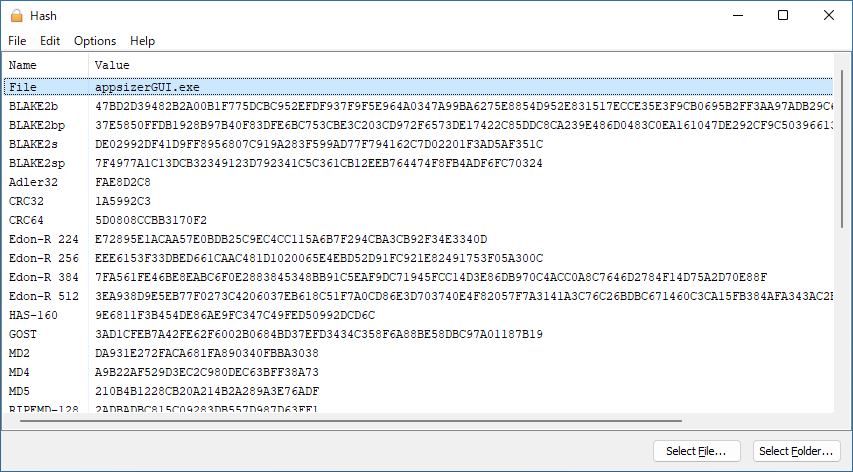
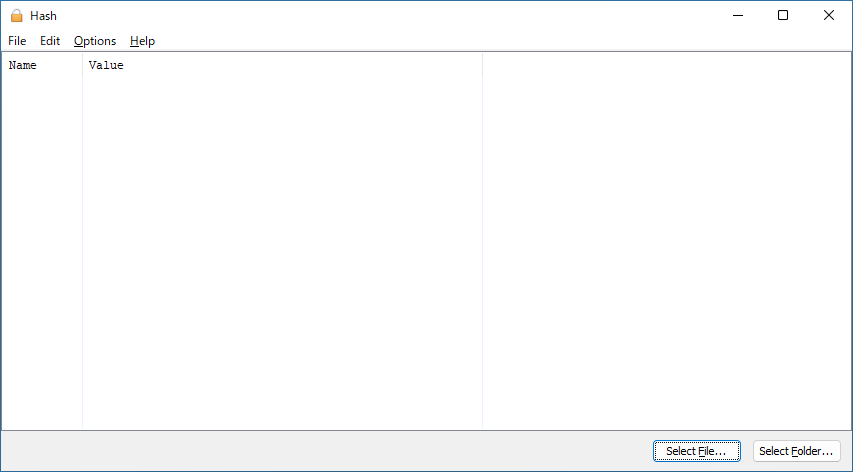
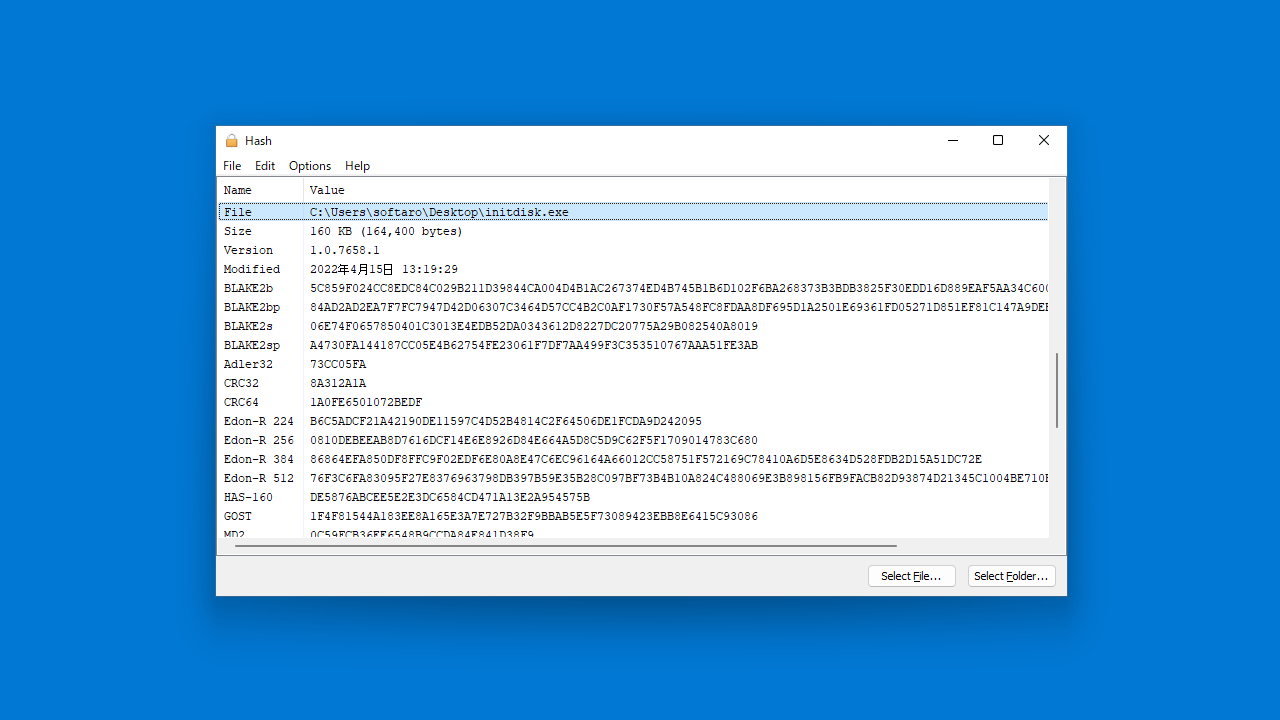
Hash は、単一のファイルまたは複数のファイル、フォルダ内のすべてのファイルのハッシュを計算して表示することができる、Windows 向けのファイルハッシュ計算ツールです。
ファイルやフォルダをドラッグ&ドロップで追加して、ファイルのハッシュ/チェックサムをすばやく計算し、クリップボードにコピーすることができます。
ファイル情報をテキストファイルに保存することもできます
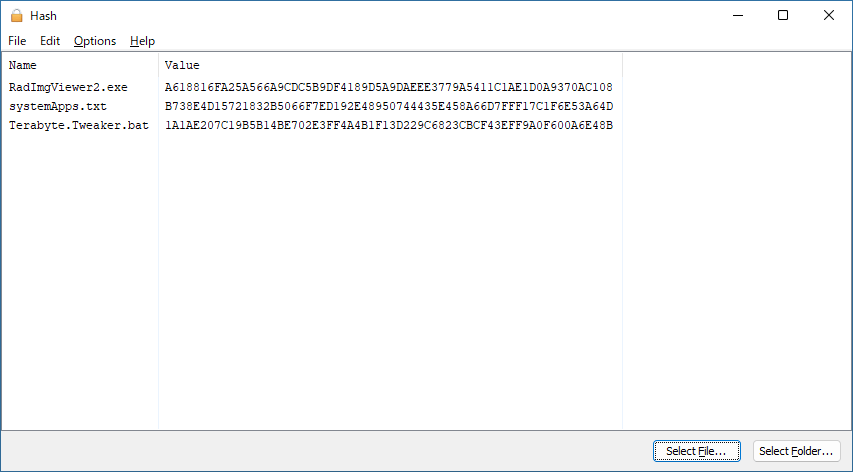
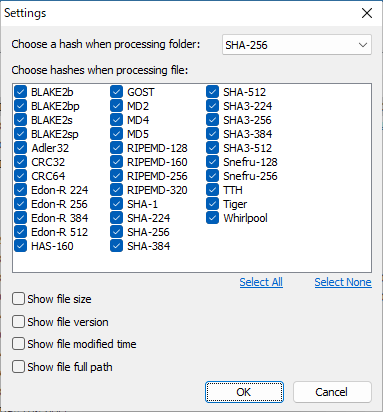
Hash は、CRC32/64、MD5、SHA-1、SHA-256、Tiger などの 30 種類以上のハッシュアルゴリズムに対応しており、ファイルのハッシュ/チェックサム以外に、ファイルのファイルサイズや更新日時、ファイルのフルパスを表示するように設定することもできます。
表示されているすべてのファイル情報は、クリップボードにコピーするほかに、テキストファイルに保存することができます。
シンプルで使いやすいファイルハッシュ計算ツール
Hash は、複数のファイルのハッシュをすばやく計算して表示し、コピーしたりテキストファイルに保存することができる便利なアプリケーションです。
機能
対応しているハッシュアルゴリズム:
- BLAKE2b
- BLAKE2bp
- BLAKE2s
- BLAKE2sp
- Adler32
- CRC32
- CRC64
- Edon-R 224
- Edon-R 256
- Edon-R 384
- Edon-R 512
- HAS-160
- GOST
- MD2
- MD4
- MD5
- RIPEMD-128
- RIPEMD-160
- RIPEMD-256
- RIPEMD-320
- SHA-1
- SHA-224
- SHA-256
- SHA-384
- SHA-512
- SHA3-224
- SHA3-256
- SHA3-384
- SHA3-512
- Snefru-128
- Snefru-256
- TTH
- Tiger
- Whirlpool
価格:無料
動作環境:Windows 7|8|8.1|10|11
使用言語:英語
最終更新日:
4か月前 (2026/01/05)
ダウンロード数:1459
ダウンロード
hash.exe
windows (x64)
230.50 KB
1459 ダウンロード
hash.exe
windows (x86)
261.50 KB
408 ダウンロード
hash.exe
windows (arm64)
234.00 KB
443 ダウンロード
画像

ユーザーインターフェース

ハッシュの表示

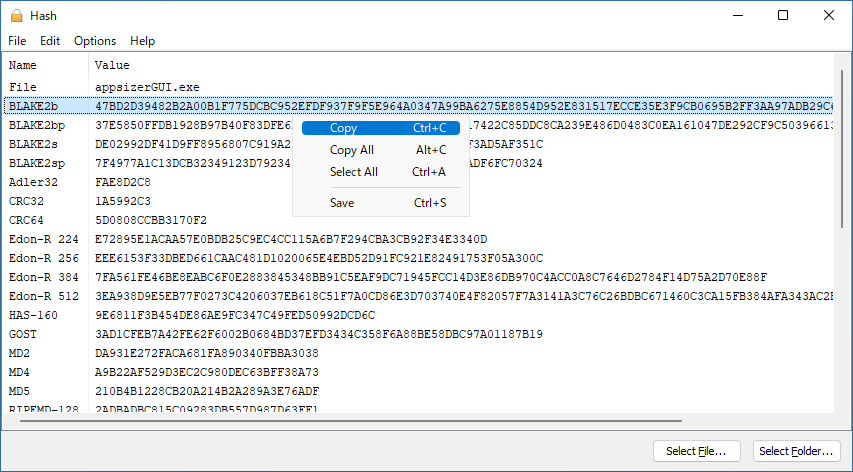
右クリックメニュー
設定
使い方
インストール
1.インストール方法
Hash は、インストール不要で使用できるポータブルアプリケーションです。
- 「Hash.exe」を実行すると、アプリケーションを起動できます。

基本的な使い方
1. 基本的な使い方
- 「File」メニューからファイルまたはフォルダを選択します。ドラッグ&ドロップでファイルを追加することもできます。
- ファイルのハッシュがウィンドウに表示されます。

- フォルダを選択すると、フォルダ内のすべてのファイルのハッシュが表示されます。

- 右クリックメニューから、ハッシュをコピーできます。

- 「Options」>「Settings」を開くと、使用するハッシュアルゴリズムを選択したり、追加のファイル情報を表示するように設定できます。

よくある質問と回答
ライセンスについて。