").attr(n.scriptAttrs||{}).prop({charset:n.scriptCharset,src:n.url}).on("load error",i=function(e){r.remove(),i=null,e&&t("error"===e.type?404:200,e.type)}),C.head.appendChild(r[0])},abort:function(){i&&i()}}});var Jt,Kt=[],Zt=/(=)\?(?=&|$)|\?\?/;ce.ajaxSetup({jsonp:"callback",jsonpCallback:function(){var e=Kt.pop()||ce.expando+"_"+jt.guid++;return this[e]=!0,e}}),ce.ajaxPrefilter("json jsonp",function(e,t,n){var r,i,o,a=!1!==e.jsonp&&(Zt.test(e.url)?"url":"string"==typeof e.data&&0===(e.contentType||"").indexOf("application/x-www-form-urlencoded")&&Zt.test(e.data)&&"data");if(a||"jsonp"===e.dataTypes[0])return r=e.jsonpCallback=v(e.jsonpCallback)?e.jsonpCallback():e.jsonpCallback,a?e[a]=e[a].replace(Zt,"$1"+r):!1!==e.jsonp&&(e.url+=(At.test(e.url)?"&":"?")+e.jsonp+"="+r),e.converters["script json"]=function(){return o||ce.error(r+" was not called"),o[0]},e.dataTypes[0]="json",i=ie[r],ie[r]=function(){o=arguments},n.always(function(){void 0===i?ce(ie).removeProp(r):ie[r]=i,e[r]&&(e.jsonpCallback=t.jsonpCallback,Kt.push(r)),o&&v(i)&&i(o[0]),o=i=void 0}),"script"}),le.createHTMLDocument=((Jt=C.implementation.createHTMLDocument("").body).innerHTML="
",2===Jt.childNodes.length),ce.parseHTML=function(e,t,n){return"string"!=typeof e?[]:("boolean"==typeof t&&(n=t,t=!1),t||(le.createHTMLDocument?((r=(t=C.implementation.createHTMLDocument("")).createElement("base")).href=C.location.href,t.head.appendChild(r)):t=C),o=!n&&[],(i=w.exec(e))?[t.createElement(i[1])]:(i=Ae([e],t,o),o&&o.length&&ce(o).remove(),ce.merge([],i.childNodes)));var r,i,o},ce.fn.load=function(e,t,n){var r,i,o,a=this,s=e.indexOf(" ");return-1").append(ce.parseHTML(e)).find(r):e)}).always(n&&function(e,t){a.each(function(){n.apply(this,o||[e.responseText,t,e])})}),this},ce.expr.pseudos.animated=function(t){return ce.grep(ce.timers,function(e){return t===e.elem}).length},ce.offset={setOffset:function(e,t,n){var r,i,o,a,s,u,l=ce.css(e,"position"),c=ce(e),f={};"static"===l&&(e.style.position="relative"),s=c.offset(),o=ce.css(e,"top"),u=ce.css(e,"left"),("absolute"===l||"fixed"===l)&&-1<(o+u).indexOf("auto")?(a=(r=c.position()).top,i=r.left):(a=parseFloat(o)||0,i=parseFloat(u)||0),v(t)&&(t=t.call(e,n,ce.extend({},s))),null!=t.top&&(f.top=t.top-s.top+a),null!=t.left&&(f.left=t.left-s.left+i),"using"in t?t.using.call(e,f):c.css(f)}},ce.fn.extend({offset:function(t){if(arguments.length)return void 0===t?this:this.each(function(e){ce.offset.setOffset(this,t,e)});var e,n,r=this[0];return r?r.getClientRects().length?(e=r.getBoundingClientRect(),n=r.ownerDocument.defaultView,{top:e.top+n.pageYOffset,left:e.left+n.pageXOffset}):{top:0,left:0}:void 0},position:function(){if(this[0]){var e,t,n,r=this[0],i={top:0,left:0};if("fixed"===ce.css(r,"position"))t=r.getBoundingClientRect();else{t=this.offset(),n=r.ownerDocument,e=r.offsetParent||n.documentElement;while(e&&(e===n.body||e===n.documentElement)&&"static"===ce.css(e,"position"))e=e.parentNode;e&&e!==r&&1===e.nodeType&&((i=ce(e).offset()).top+=ce.css(e,"borderTopWidth",!0),i.left+=ce.css(e,"borderLeftWidth",!0))}return{top:t.top-i.top-ce.css(r,"marginTop",!0),left:t.left-i.left-ce.css(r,"marginLeft",!0)}}},offsetParent:function(){return this.map(function(){var e=this.offsetParent;while(e&&"static"===ce.css(e,"position"))e=e.offsetParent;return e||J})}}),ce.each({scrollLeft:"pageXOffset",scrollTop:"pageYOffset"},function(t,i){var o="pageYOffset"===i;ce.fn[t]=function(e){return M(this,function(e,t,n){var r;if(y(e)?r=e:9===e.nodeType&&(r=e.defaultView),void 0===n)return r?r[i]:e[t];r?r.scrollTo(o?r.pageXOffset:n,o?n:r.pageYOffset):e[t]=n},t,e,arguments.length)}}),ce.each(["top","left"],function(e,n){ce.cssHooks[n]=Ye(le.pixelPosition,function(e,t){if(t)return t=Ge(e,n),_e.test(t)?ce(e).position()[n]+"px":t})}),ce.each({Height:"height",Width:"width"},function(a,s){ce.each({padding:"inner"+a,content:s,"":"outer"+a},function(r,o){ce.fn[o]=function(e,t){var n=arguments.length&&(r||"boolean"!=typeof e),i=r||(!0===e||!0===t?"margin":"border");return M(this,function(e,t,n){var r;return y(e)?0===o.indexOf("outer")?e["inner"+a]:e.document.documentElement["client"+a]:9===e.nodeType?(r=e.documentElement,Math.max(e.body["scroll"+a],r["scroll"+a],e.body["offset"+a],r["offset"+a],r["client"+a])):void 0===n?ce.css(e,t,i):ce.style(e,t,n,i)},s,n?e:void 0,n)}})}),ce.each(["ajaxStart","ajaxStop","ajaxComplete","ajaxError","ajaxSuccess","ajaxSend"],function(e,t){ce.fn[t]=function(e){return this.on(t,e)}}),ce.fn.extend({bind:function(e,t,n){return this.on(e,null,t,n)},unbind:function(e,t){return this.off(e,null,t)},delegate:function(e,t,n,r){return this.on(t,e,n,r)},undelegate:function(e,t,n){return 1===arguments.length?this.off(e,"**"):this.off(t,e||"**",n)},hover:function(e,t){return this.on("mouseenter",e).on("mouseleave",t||e)}}),ce.each("blur focus focusin focusout resize scroll click dblclick mousedown mouseup mousemove mouseover mouseout mouseenter mouseleave change select submit keydown keypress keyup contextmenu".split(" "),function(e,n){ce.fn[n]=function(e,t){return 0
Ant Download Manager 2.17.2 / 2.17.2 Beta
ダウンロードマネージャ
2020/12/10 17:052026/05/17 09:38
説明 機能 仕様 ダウンロード 画像 使い方
動画、Torrent、プレミアムリンクジェネレータなどに対応しているダウンロードマネージャ
人気の動画サイトから動画をダウンロードしたり、HLS や HDS などのストリーミング動画や音楽をダウンロードすることができる Windows 向けのダウンロードマネージャ。Torrent のダウンロードやプレミアムリンクジェネレータにも対応しています。
Ant Download Manager の概要
Ant Download Manager は、あらゆるインターネットコンテンツを高速でダウンロードできるダウンロードマネージャです。インストール後は 30 日間無料で Pro 版の機能が利用できます。30日経過後は Free 版の機能が引き続き利用できます。
Ant Download Manager の機能
Ant Download Manager の主な機能です。
機能
概要
メイン機能
ファイルのダウンロード
機能詳細
・お気に入りのビデオ、オーディオストリーミングをインターネットからダウンロード
・人気の動画サイト(Youtube、Vimeo、DailyMotion、Facebook など)に対応
・Torrent のダウンロード
・Generate Premium Links(プレミアムリンクジェネレータ / Debrids)に対応
あらゆる動画サイトから動画をダウンロードできます
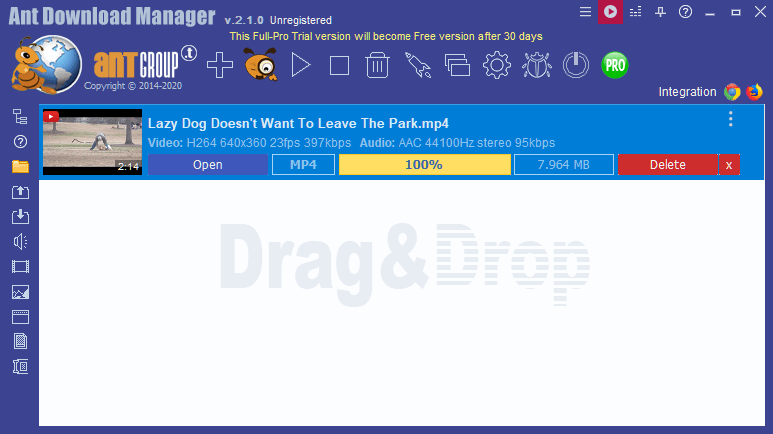
Ant Download Manager を使用すると、YouTube や DailyMotion、Pandratv などの人気の動画サイトから動画をダウンロードすることができます。
また、通常ではダウンロードが難しい HLS(HTTP Live Streaming)や HDS(HTTP Dynamic Streaming)の動画ファイルのストリーミングをダウンロードすることもできます。
Chrome と Firefox に統合
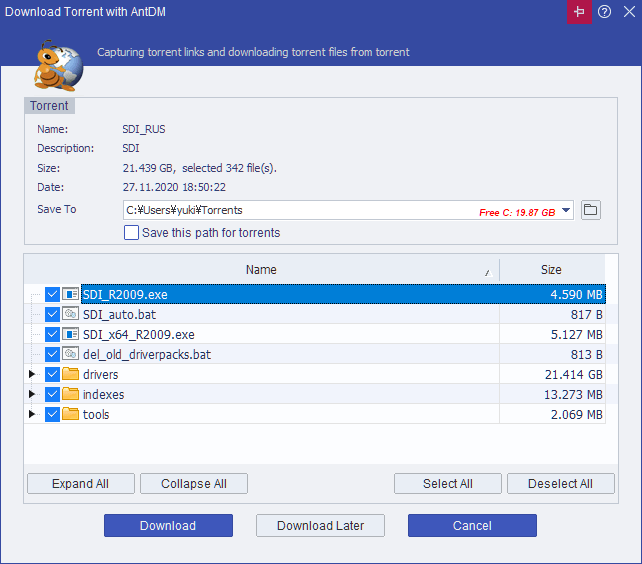
Ant Download Manager は、Torrent ファイルのダウンロードにも対応しており、プレミアムリンクジェネレータを使用してファイルホスティングサイトからファイルをダウンロードすることもできます。
Google Chrome または Firefox ブラウザに拡張機能を追加することができるので、ブラウザからすばやく簡単に動画や Torrent ファイルなどをダウンロードできます。
あらゆるファイルをダウンロード可能なダウンローダー
Ant Download Manager は、インターネットからあらゆるファイルをダウンロードすることができるダウンロード管理ソフトです。動画や音楽、Torrent やそのほかのファイルをダウンロードすることが多い方におすすめできます。
機能
シンプルで簡単:
シンプルでユーザーフレンドリーで直感的なインターフェース
ファイルをダウンロードするための簡単なアクセス
ダウンロードリスト、並べ替えオプション
ドラッグドロップ
多言語サポート
迅速かつ効果的:
他のオンラインアクティビティや PC の動作を遅くすることなく、できるだけ速くファイルをダウンロードします
マルチスレッドダウンロード
高速ダウンロード
HTTP(S), FTP(S), RTMP(x) プロトコルに対応
ブラウザの統合:
Mozilla Firefox、Google Chrome およびそれらのクローンブラウザ(Pale Moon、Opera、Vivaldi、Slimjet、ComodoDragon など)に対応
任意のコンテンツ:
お気に入りの映画、ビデオ、オーディオをインターネットからダウンロードします
人気の動画サイト(Youtube、Vimeo、DailyMotion、Facebook、Rutube など)に対応
Torrent のダウンロードに対応
Generate Premium Links(プレミアムリンクジェネレータ / Debrids)に対応。alldebrid.com, cocoleech.com, debrid-link.fr, ffdownloader.com, linksnappy.com, mega-debrid.eu, real-debrid.com, premium.rpnet.biz, simply-debrid.com, premiumize.me など
価格: 無料
動作環境: Windows 7|8|8.1|10|11
使用言語: 英語ほか
最終更新日:
21時間前 (2026/05/17)
ダウンロード数: 6237
使い方
インストール
1.インストール方法
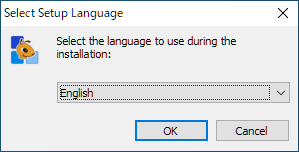
インストーラを実行すると言語の選択画面が表示されます。言語を選択して[OK ]をクリックします。
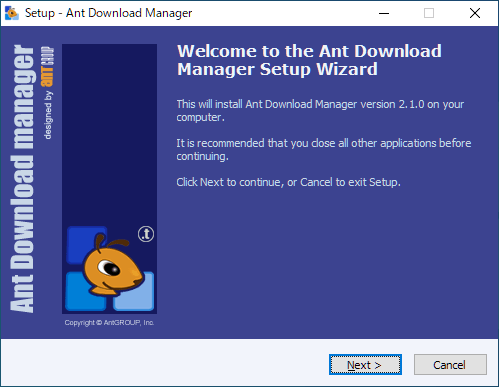
セットアップウィザードが始まります。[Next ]をクリックします。
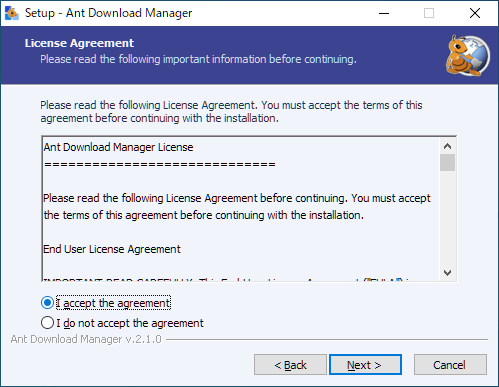
ライセンスが表示されます。「I accept the agreement 」を選択して[Next ]をクリックします。
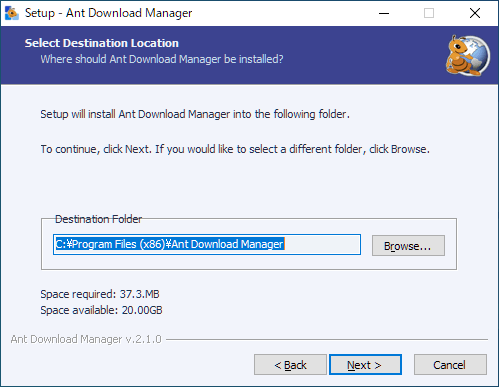
インストール先を確認または変更して[Next ]をクリックします。
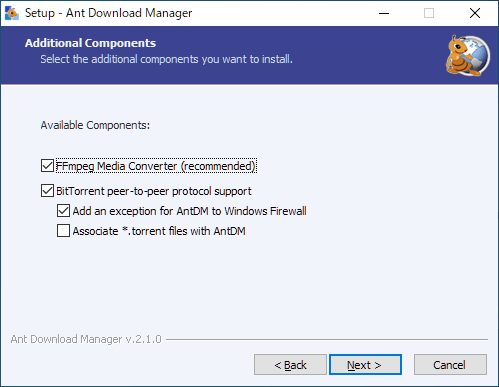
追加のコンポーネントを選択して[Next ]をクリックします。
・FFmpeg Media Converter :メディアファイルを変換するために FFmpeg をインストールする
・Bittorrent peer-to-peer protocol support :Bittorrent プロトコルに対応する
─ Add an exception for AntDM to Windows Firewall:AntDM を Windows ファイアウォールに追加する
─ Associate *.torrent files with AntDM:.torrent ファイルを AntDM に関連付ける
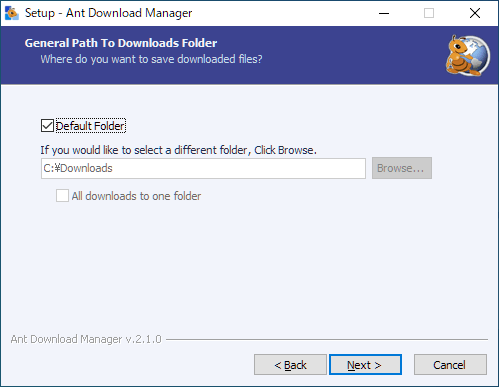
デフォルトのダウンロードフォルダを指定して[Next ]をクリックします。
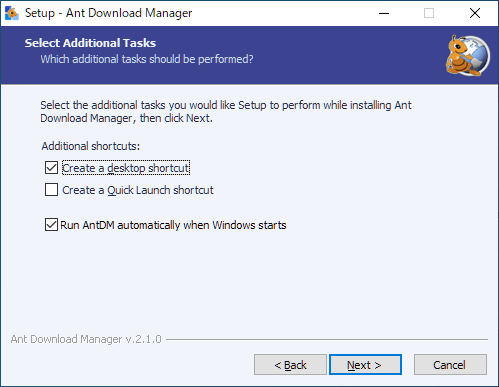
追加のタスクを設定して[Next ]をクリックします。
・Run AntDM automatically when windows starts :AntDM を Windows 起動時に起動する
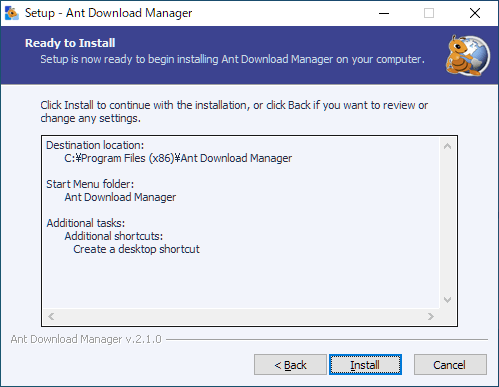
インストールの準備ができました。[Install ]をクリックしてインストールを開始します。
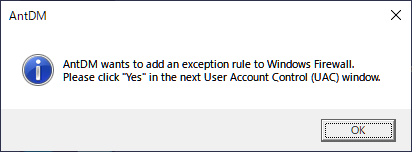
ファイアウォールへの追加の確認画面が表示されたら[OK ]をクリックします。
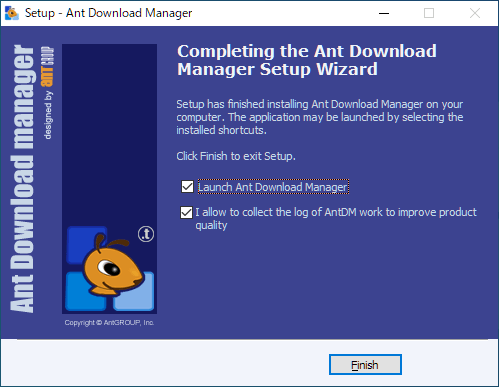
インストールが完了しました。[Finish ]をクリックしてセットアップウィザードを閉じます。
ブラウザに拡張機能をインストールする
1. ブラウザに拡張機能をインストールする
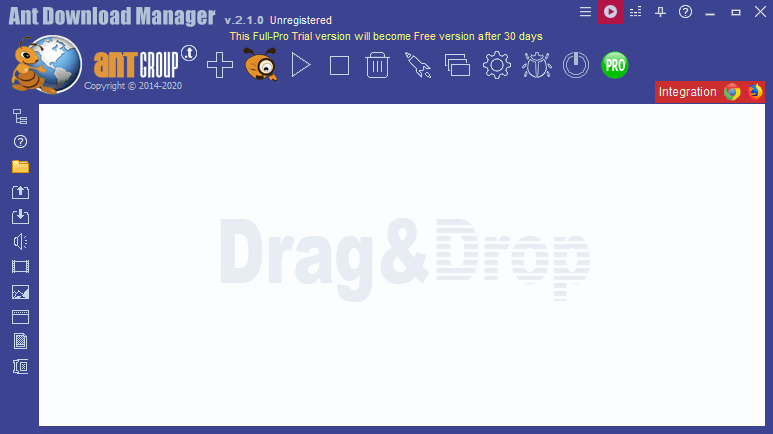
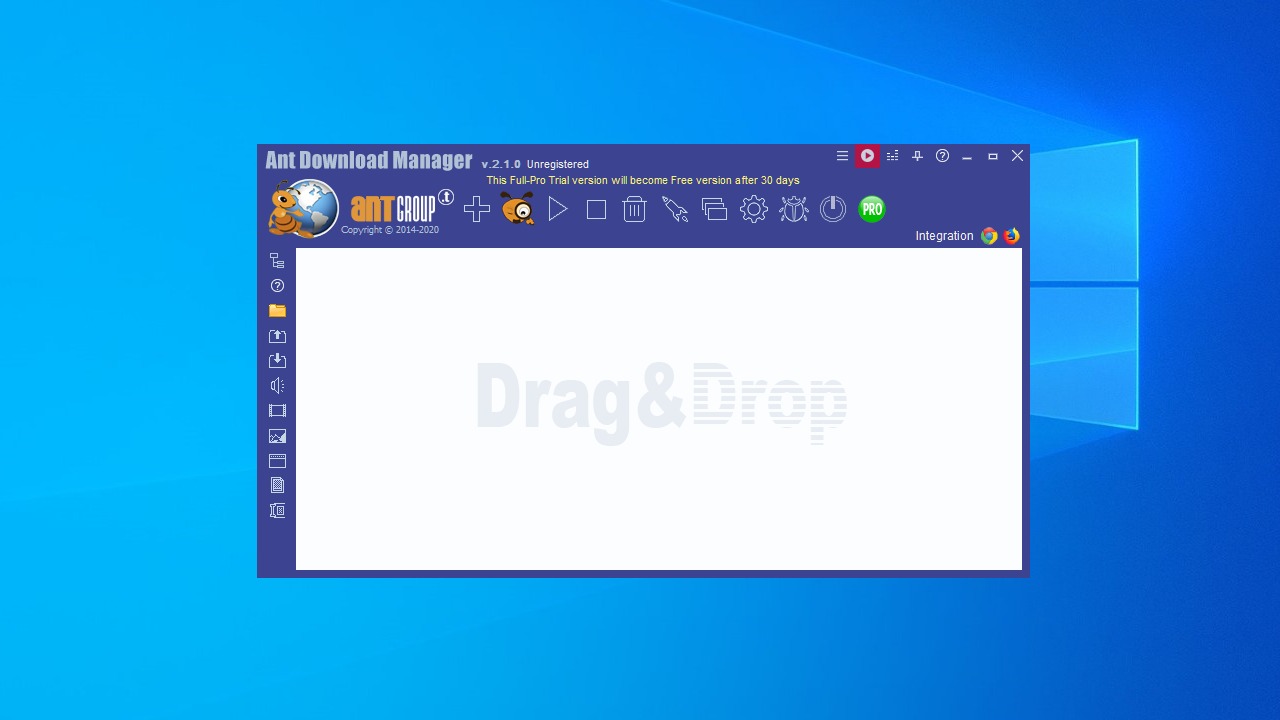
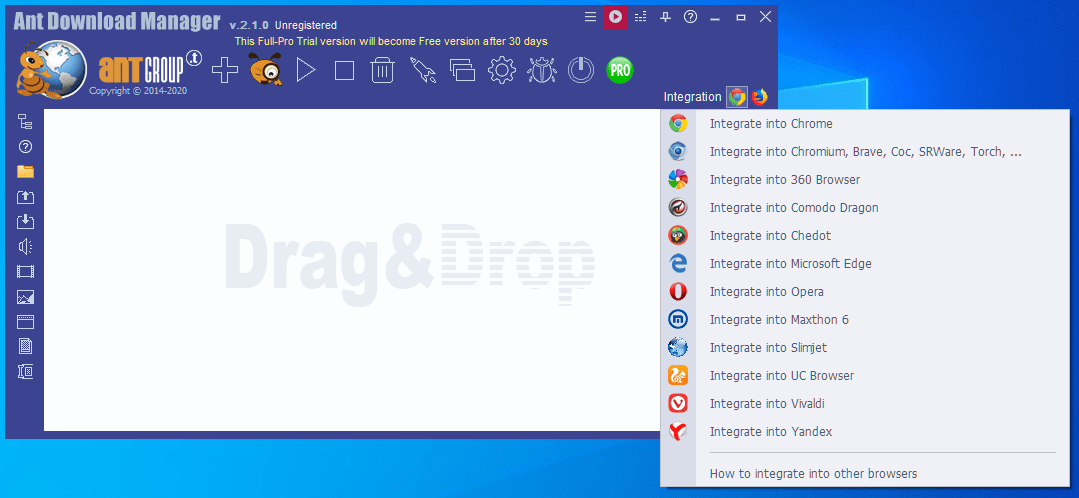
AntDM を起動し、右側の「Integration 」部分のボタンをクリックすると、ブラウザに拡張機能をインストールできます。
Chrome にインストールする場合は「Integrate into Chrome」をクリックします。
動画をダウンロードする
1.AntDM から動画をダウンロードする
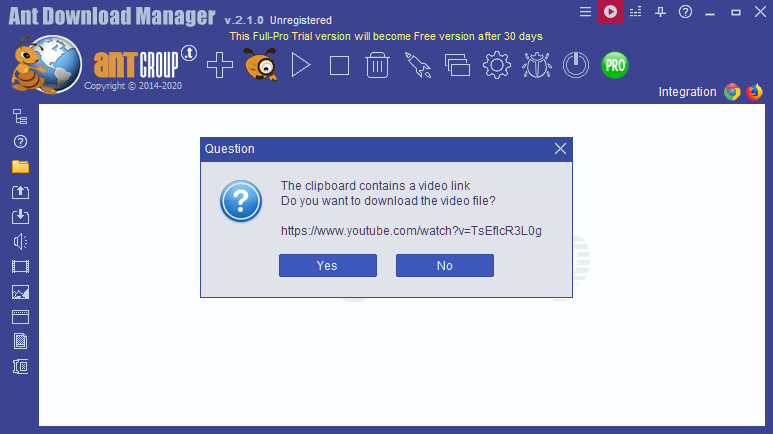
動画のリンクをコピーしてツールバーの「+」ボタンをクリックすると、「ビデオをダウンロードしますか?」という確認画面が表示されます。
[Yes]をクリックします。
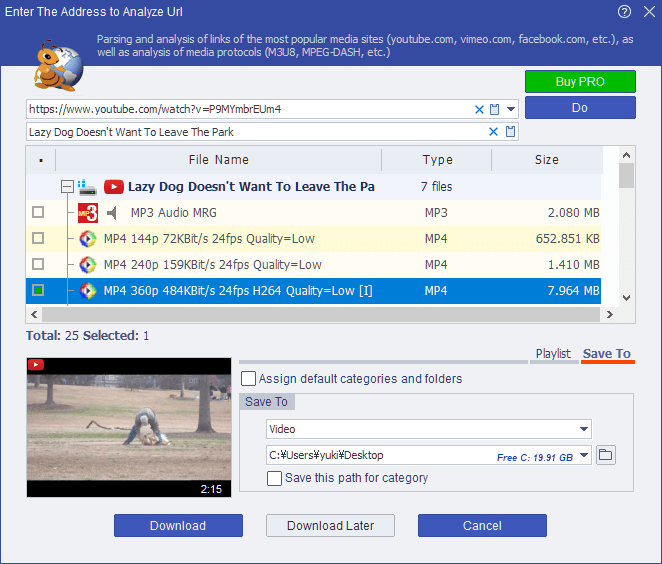
ボックス内にダウンロード可能なメディアファイルの一覧が表示されるので、ダウンロードしたいものを選択します。
「Save To」で保存先を確認または変更します。
[Download]ボタンをクリックしてダウンロードを開始します。
2.ブラウザから動画をダウンロードする
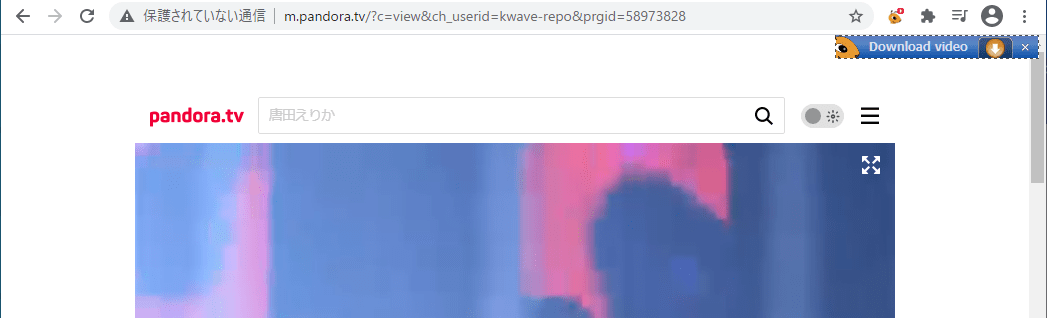
ブラウザで動画を再生すると、右上に「Download video」のポップアップが表示されます。
( ↓ )ボタンをクリックすると動画をダウンロードできます。
Torrent をダウンロードする
1.ブラウザから Torrent のファイルをダウンロードする
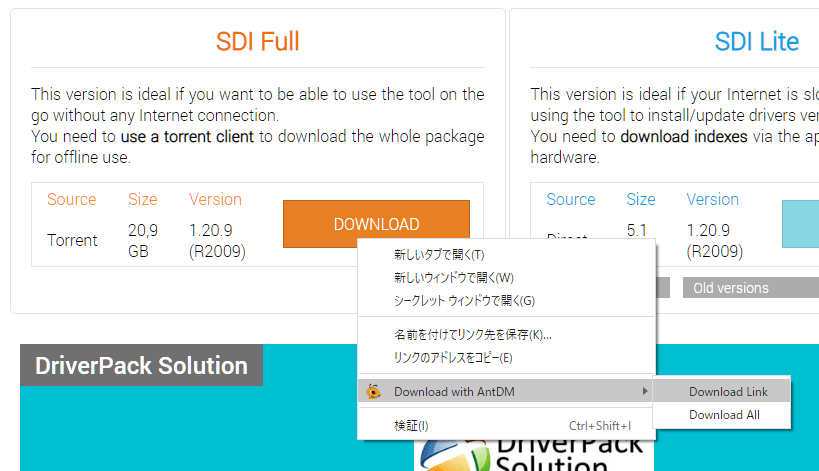
Torrent のリンクを右クリックし、「Download with AntDM」>「Download Link」を選択します。
ダウンロード可能なファイルの一覧が表示されるので、確認または選択します。
「Save To」で保存先を指定します。
[Download]ボタンをクリックしてダウンロードを開始します。
よくある質問と回答
ライセンスについて。
ユーザーレビュー
2025-01-19
とっても使いやすいです!
頻繁に更新もあるしいいですよ。
クニッケ