").attr(n.scriptAttrs||{}).prop({charset:n.scriptCharset,src:n.url}).on("load error",i=function(e){r.remove(),i=null,e&&t("error"===e.type?404:200,e.type)}),C.head.appendChild(r[0])},abort:function(){i&&i()}}});var Jt,Kt=[],Zt=/(=)\?(?=&|$)|\?\?/;ce.ajaxSetup({jsonp:"callback",jsonpCallback:function(){var e=Kt.pop()||ce.expando+"_"+jt.guid++;return this[e]=!0,e}}),ce.ajaxPrefilter("json jsonp",function(e,t,n){var r,i,o,a=!1!==e.jsonp&&(Zt.test(e.url)?"url":"string"==typeof e.data&&0===(e.contentType||"").indexOf("application/x-www-form-urlencoded")&&Zt.test(e.data)&&"data");if(a||"jsonp"===e.dataTypes[0])return r=e.jsonpCallback=v(e.jsonpCallback)?e.jsonpCallback():e.jsonpCallback,a?e[a]=e[a].replace(Zt,"$1"+r):!1!==e.jsonp&&(e.url+=(At.test(e.url)?"&":"?")+e.jsonp+"="+r),e.converters["script json"]=function(){return o||ce.error(r+" was not called"),o[0]},e.dataTypes[0]="json",i=ie[r],ie[r]=function(){o=arguments},n.always(function(){void 0===i?ce(ie).removeProp(r):ie[r]=i,e[r]&&(e.jsonpCallback=t.jsonpCallback,Kt.push(r)),o&&v(i)&&i(o[0]),o=i=void 0}),"script"}),le.createHTMLDocument=((Jt=C.implementation.createHTMLDocument("").body).innerHTML="
",2===Jt.childNodes.length),ce.parseHTML=function(e,t,n){return"string"!=typeof e?[]:("boolean"==typeof t&&(n=t,t=!1),t||(le.createHTMLDocument?((r=(t=C.implementation.createHTMLDocument("")).createElement("base")).href=C.location.href,t.head.appendChild(r)):t=C),o=!n&&[],(i=w.exec(e))?[t.createElement(i[1])]:(i=Ae([e],t,o),o&&o.length&&ce(o).remove(),ce.merge([],i.childNodes)));var r,i,o},ce.fn.load=function(e,t,n){var r,i,o,a=this,s=e.indexOf(" ");return-1").append(ce.parseHTML(e)).find(r):e)}).always(n&&function(e,t){a.each(function(){n.apply(this,o||[e.responseText,t,e])})}),this},ce.expr.pseudos.animated=function(t){return ce.grep(ce.timers,function(e){return t===e.elem}).length},ce.offset={setOffset:function(e,t,n){var r,i,o,a,s,u,l=ce.css(e,"position"),c=ce(e),f={};"static"===l&&(e.style.position="relative"),s=c.offset(),o=ce.css(e,"top"),u=ce.css(e,"left"),("absolute"===l||"fixed"===l)&&-1<(o+u).indexOf("auto")?(a=(r=c.position()).top,i=r.left):(a=parseFloat(o)||0,i=parseFloat(u)||0),v(t)&&(t=t.call(e,n,ce.extend({},s))),null!=t.top&&(f.top=t.top-s.top+a),null!=t.left&&(f.left=t.left-s.left+i),"using"in t?t.using.call(e,f):c.css(f)}},ce.fn.extend({offset:function(t){if(arguments.length)return void 0===t?this:this.each(function(e){ce.offset.setOffset(this,t,e)});var e,n,r=this[0];return r?r.getClientRects().length?(e=r.getBoundingClientRect(),n=r.ownerDocument.defaultView,{top:e.top+n.pageYOffset,left:e.left+n.pageXOffset}):{top:0,left:0}:void 0},position:function(){if(this[0]){var e,t,n,r=this[0],i={top:0,left:0};if("fixed"===ce.css(r,"position"))t=r.getBoundingClientRect();else{t=this.offset(),n=r.ownerDocument,e=r.offsetParent||n.documentElement;while(e&&(e===n.body||e===n.documentElement)&&"static"===ce.css(e,"position"))e=e.parentNode;e&&e!==r&&1===e.nodeType&&((i=ce(e).offset()).top+=ce.css(e,"borderTopWidth",!0),i.left+=ce.css(e,"borderLeftWidth",!0))}return{top:t.top-i.top-ce.css(r,"marginTop",!0),left:t.left-i.left-ce.css(r,"marginLeft",!0)}}},offsetParent:function(){return this.map(function(){var e=this.offsetParent;while(e&&"static"===ce.css(e,"position"))e=e.offsetParent;return e||J})}}),ce.each({scrollLeft:"pageXOffset",scrollTop:"pageYOffset"},function(t,i){var o="pageYOffset"===i;ce.fn[t]=function(e){return M(this,function(e,t,n){var r;if(y(e)?r=e:9===e.nodeType&&(r=e.defaultView),void 0===n)return r?r[i]:e[t];r?r.scrollTo(o?r.pageXOffset:n,o?n:r.pageYOffset):e[t]=n},t,e,arguments.length)}}),ce.each(["top","left"],function(e,n){ce.cssHooks[n]=Ye(le.pixelPosition,function(e,t){if(t)return t=Ge(e,n),_e.test(t)?ce(e).position()[n]+"px":t})}),ce.each({Height:"height",Width:"width"},function(a,s){ce.each({padding:"inner"+a,content:s,"":"outer"+a},function(r,o){ce.fn[o]=function(e,t){var n=arguments.length&&(r||"boolean"!=typeof e),i=r||(!0===e||!0===t?"margin":"border");return M(this,function(e,t,n){var r;return y(e)?0===o.indexOf("outer")?e["inner"+a]:e.document.documentElement["client"+a]:9===e.nodeType?(r=e.documentElement,Math.max(e.body["scroll"+a],r["scroll"+a],e.body["offset"+a],r["offset"+a],r["client"+a])):void 0===n?ce.css(e,t,i):ce.style(e,t,n,i)},s,n?e:void 0,n)}})}),ce.each(["ajaxStart","ajaxStop","ajaxComplete","ajaxError","ajaxSuccess","ajaxSend"],function(e,t){ce.fn[t]=function(e){return this.on(t,e)}}),ce.fn.extend({bind:function(e,t,n){return this.on(e,null,t,n)},unbind:function(e,t){return this.off(e,null,t)},delegate:function(e,t,n,r){return this.on(t,e,n,r)},undelegate:function(e,t,n){return 1===arguments.length?this.off(e,"**"):this.off(t,e||"**",n)},hover:function(e,t){return this.on("mouseenter",e).on("mouseleave",t||e)}}),ce.each("blur focus focusin focusout resize scroll click dblclick mousedown mouseup mousemove mouseover mouseout mouseenter mouseleave change select submit keydown keypress keyup contextmenu".split(" "),function(e,n){ce.fn[n]=function(e,t){return 0
Duplicate File Finder 1.6
ファイル検索
2021/08/01 13:40
説明機能仕様ダウンロード画像使い方
シンプルで使いやすい重複ファイル検索ソフト

PC 内の重複ファイルを検索して削除できる、Windows 向けの無料の重複ファイル検索ソフト。複数のフォルダのファイルを検索可能で、ファイル名、ファイルサイズ、ファイル内容の比較方法で重複ファイルを検索します。
Duplicate File Finder の概要
Duplicate File Finder は、コンピューター上の重複ファイルを検索するためのツールです。ファイル名、ファイルサイズ、またはファイルの内容をスキャンして重複ファイルを検索できます。
Duplicate File Finder の機能
Duplicate File Finder の主な機能です。
| 機能 |
概要 |
| メイン機能 |
重複ファイルの検索 |
| 機能詳細 |
・重複ファイルの検索と削除
・ファイル名/ファイルサイズ/ファイルコンテンツ(SHA-1)で比較
・CSV ファイル形式でファイルリスト/重複ファイルリストをエクスポートする |
コンピュータ内の重複ファイルを検索します
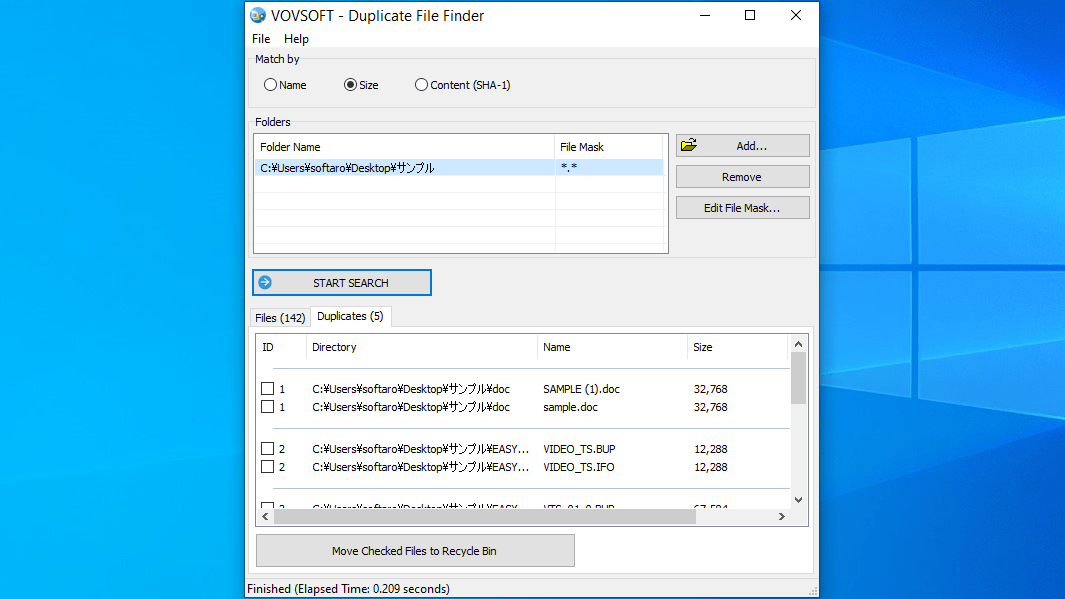
Duplicate File Finder は、不要なファイルの重複を見つけて削除し、ディスクスペースを解放し、ファイルのコレクションを整理するのに役立つ重複ファイル検索アプリです。
PC 内の指定した複数のフォルダ内の重複ファイルのすべてのリストを表示し、削除するファイルと保持するファイルを決めてファイルを制御できます。
3 つの異なる方法で重複ファイルを検索できます
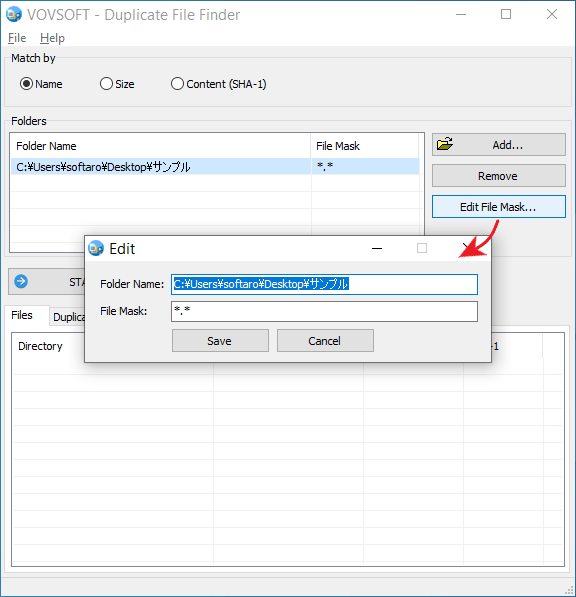
Duplicate File Finder では、「ファイル名」「ファイルサイズ」「ファイルコンテンツ」の比較方法で重複ファイルを検索できます。
ファイル名とファイルサイズでの比較は高速にファイルを検索できます。ファイルコンテンツでの比較は SHA-1 ハッシュを計算して比較するので、100% 同じ重複ファイルを検出できますが、検索に時間がかかります。
シンプルで使いやすい重複ファイル検索アプリ
Duplicate File Finder は、多数の写真、音楽ファイル、ビデオファイル、ドキュメントなどのすべてのファイルの重複を検索できる便利なアプリケーションです。ファイルを整理したり、ディスクの空き容量を増やしたい場合におすすめできます。
機能
- 重複ファイルの検索と削除
- ファイル名の比較
- ファイルサイズの比較
- ファイルコンテンツの比較(SHA-1)
- フォルダをドラッグアンドドロップして追加します
- CSV ファイル形式でファイルリストをエクスポートする
- CSV ファイル形式で重複リストをエクスポートする
価格:無料
動作環境:Windows 7|8|8.1|10|11
使用言語:英語
最終更新日:
4か月前 (2025/12/11)
ダウンロード数:1414
画像

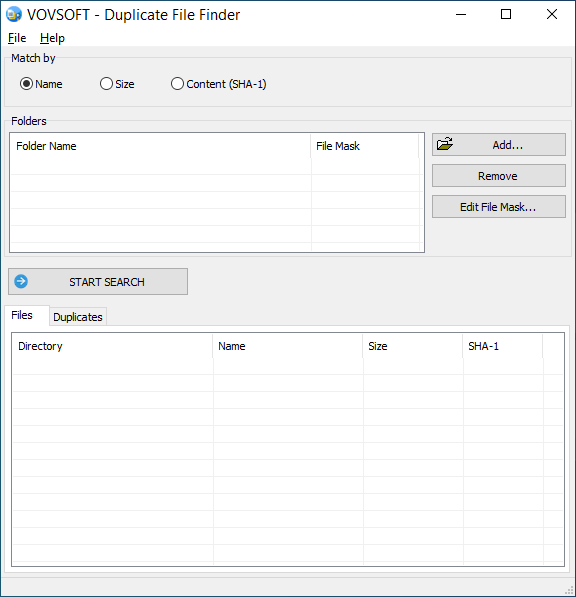
ユーザーインターフェース

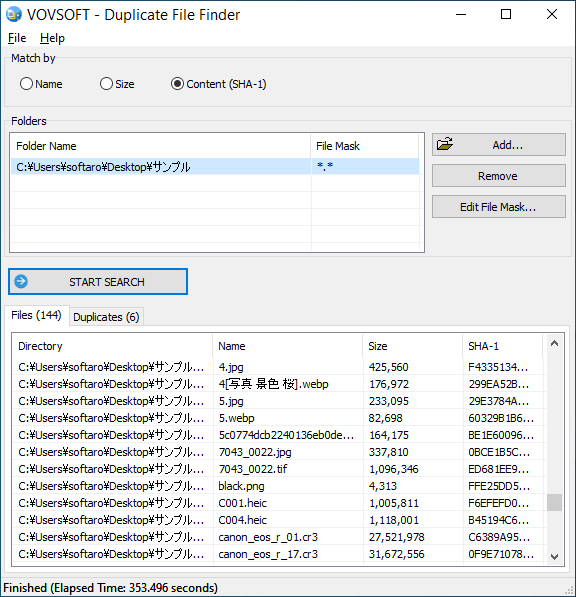
検索結果/ファイルリストの表示

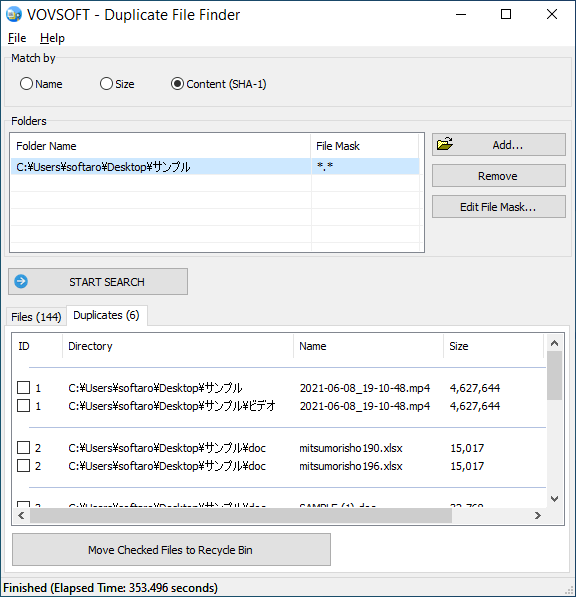
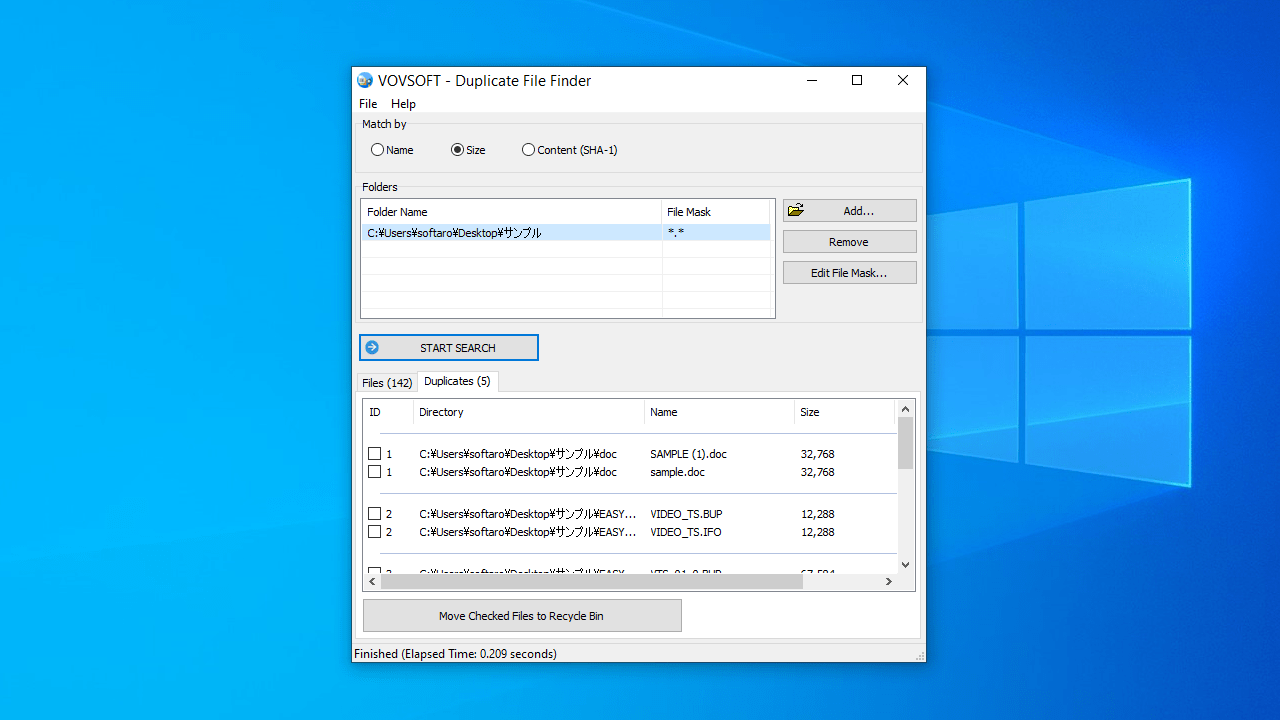
検索結果/重複ファイルリストの表示

ファイルマスクの設定
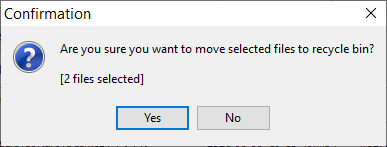
ファイル削除時の確認画面
使い方
インストール
1.インストール方法
- インストーラを実行するとセットアップウィザードが開始します。[Next]をクリックします。
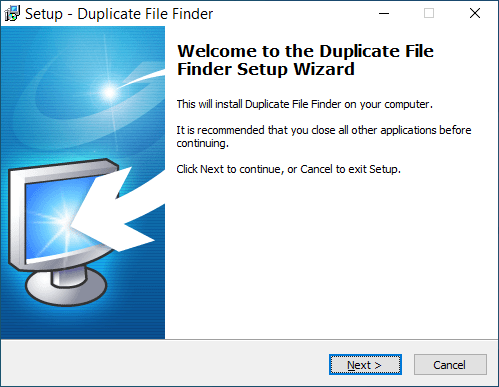
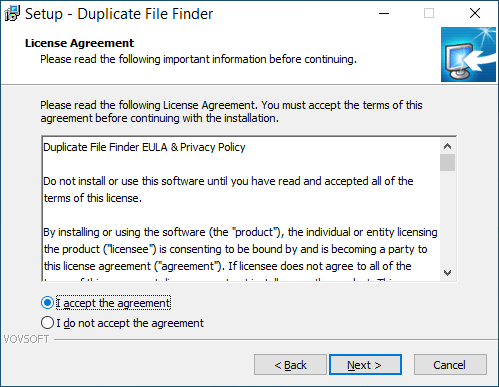
- ライセンスが表示されます。「I accept the agreement」を選択して[Next]をクリックします。
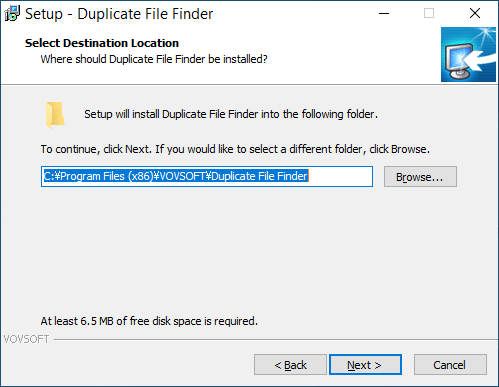
- インストール先を確認して[Next]をクリックします。
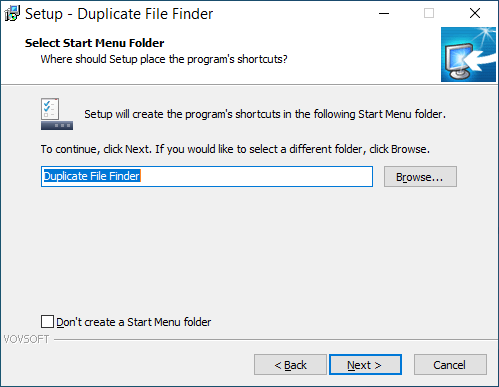
- スタートメニューに作成するショートカットの設定を確認して[Next]をクリックします。
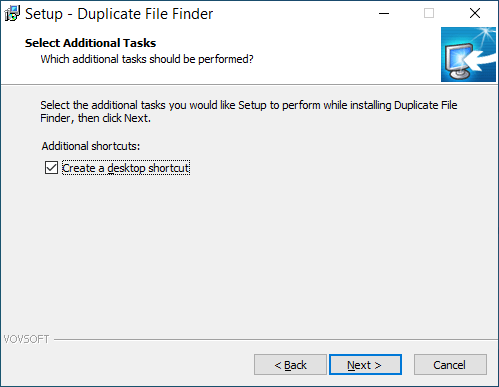
- 追加のタスクを設定して[Next]をクリックします。
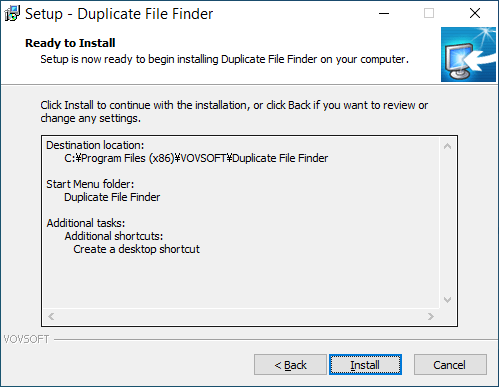
- インストールの準備ができました。[Install]をクリックしてインストールを開始します。
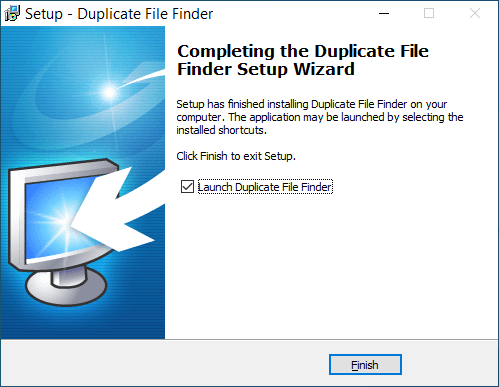
- インストールが完了しました。[Finish]をクリックしてセットアップウィザードを閉じます。
基本的な使い方
1.重複ファイルを検索する
- 「Match by」から、ファイルの比較方法を選択します。
- 「Add」ボタンをクリックして、検索するフォルダを選択して追加します(ドラッグ&ドロップでも追加できます)。
- [START SEARCH]ボタンをクリックして検索を開始します。
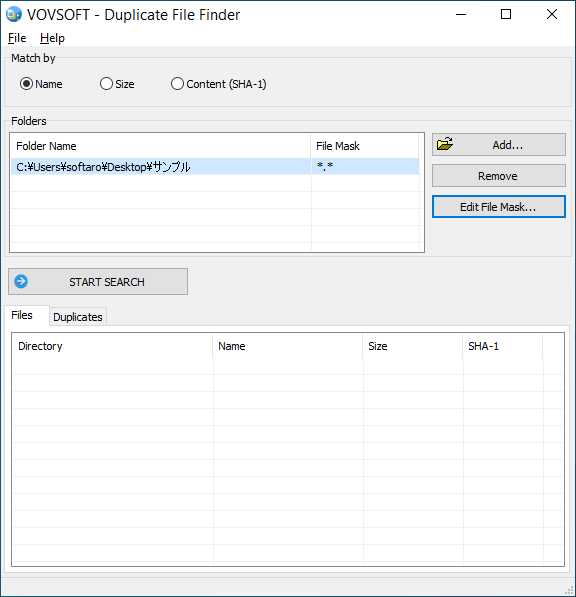
- 「Files」には、選択したフォルダ内のファイルのリストが表示されます。

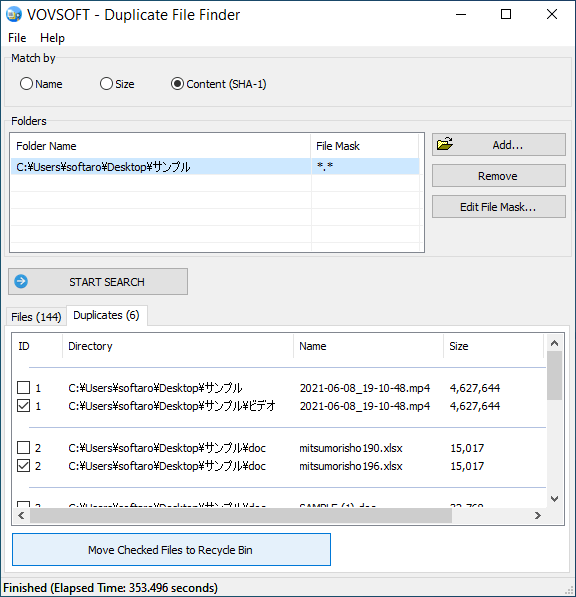
- 「Duplicates」には、重複しているファイルのペアのリストが表示されます。

2.重複ファイルを削除する
- 削除したいファイルを選択して[Move Checked Files to Recycle Bin]ボタンをクリックすると、ファイルがごみ箱に移動します。
3.ファイルリスト/重複ファイルリストを CSV ファイルに保存する
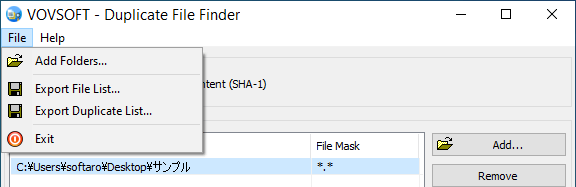
- 「File」>「Expport File List」を選択すると、ファイルリストを CSV ファイルに保存できます。
- 「File」>「Expport Duplicate List」を選択すると、ファイルリストを CSV ファイルに保存できます。
よくある質問と回答
ライセンスについて。
Duplicate File Finder は、どなたでも無料で使用できます。