").attr(n.scriptAttrs||{}).prop({charset:n.scriptCharset,src:n.url}).on("load error",i=function(e){r.remove(),i=null,e&&t("error"===e.type?404:200,e.type)}),C.head.appendChild(r[0])},abort:function(){i&&i()}}});var Jt,Kt=[],Zt=/(=)\?(?=&|$)|\?\?/;ce.ajaxSetup({jsonp:"callback",jsonpCallback:function(){var e=Kt.pop()||ce.expando+"_"+jt.guid++;return this[e]=!0,e}}),ce.ajaxPrefilter("json jsonp",function(e,t,n){var r,i,o,a=!1!==e.jsonp&&(Zt.test(e.url)?"url":"string"==typeof e.data&&0===(e.contentType||"").indexOf("application/x-www-form-urlencoded")&&Zt.test(e.data)&&"data");if(a||"jsonp"===e.dataTypes[0])return r=e.jsonpCallback=v(e.jsonpCallback)?e.jsonpCallback():e.jsonpCallback,a?e[a]=e[a].replace(Zt,"$1"+r):!1!==e.jsonp&&(e.url+=(At.test(e.url)?"&":"?")+e.jsonp+"="+r),e.converters["script json"]=function(){return o||ce.error(r+" was not called"),o[0]},e.dataTypes[0]="json",i=ie[r],ie[r]=function(){o=arguments},n.always(function(){void 0===i?ce(ie).removeProp(r):ie[r]=i,e[r]&&(e.jsonpCallback=t.jsonpCallback,Kt.push(r)),o&&v(i)&&i(o[0]),o=i=void 0}),"script"}),le.createHTMLDocument=((Jt=C.implementation.createHTMLDocument("").body).innerHTML="
",2===Jt.childNodes.length),ce.parseHTML=function(e,t,n){return"string"!=typeof e?[]:("boolean"==typeof t&&(n=t,t=!1),t||(le.createHTMLDocument?((r=(t=C.implementation.createHTMLDocument("")).createElement("base")).href=C.location.href,t.head.appendChild(r)):t=C),o=!n&&[],(i=w.exec(e))?[t.createElement(i[1])]:(i=Ae([e],t,o),o&&o.length&&ce(o).remove(),ce.merge([],i.childNodes)));var r,i,o},ce.fn.load=function(e,t,n){var r,i,o,a=this,s=e.indexOf(" ");return-1").append(ce.parseHTML(e)).find(r):e)}).always(n&&function(e,t){a.each(function(){n.apply(this,o||[e.responseText,t,e])})}),this},ce.expr.pseudos.animated=function(t){return ce.grep(ce.timers,function(e){return t===e.elem}).length},ce.offset={setOffset:function(e,t,n){var r,i,o,a,s,u,l=ce.css(e,"position"),c=ce(e),f={};"static"===l&&(e.style.position="relative"),s=c.offset(),o=ce.css(e,"top"),u=ce.css(e,"left"),("absolute"===l||"fixed"===l)&&-1<(o+u).indexOf("auto")?(a=(r=c.position()).top,i=r.left):(a=parseFloat(o)||0,i=parseFloat(u)||0),v(t)&&(t=t.call(e,n,ce.extend({},s))),null!=t.top&&(f.top=t.top-s.top+a),null!=t.left&&(f.left=t.left-s.left+i),"using"in t?t.using.call(e,f):c.css(f)}},ce.fn.extend({offset:function(t){if(arguments.length)return void 0===t?this:this.each(function(e){ce.offset.setOffset(this,t,e)});var e,n,r=this[0];return r?r.getClientRects().length?(e=r.getBoundingClientRect(),n=r.ownerDocument.defaultView,{top:e.top+n.pageYOffset,left:e.left+n.pageXOffset}):{top:0,left:0}:void 0},position:function(){if(this[0]){var e,t,n,r=this[0],i={top:0,left:0};if("fixed"===ce.css(r,"position"))t=r.getBoundingClientRect();else{t=this.offset(),n=r.ownerDocument,e=r.offsetParent||n.documentElement;while(e&&(e===n.body||e===n.documentElement)&&"static"===ce.css(e,"position"))e=e.parentNode;e&&e!==r&&1===e.nodeType&&((i=ce(e).offset()).top+=ce.css(e,"borderTopWidth",!0),i.left+=ce.css(e,"borderLeftWidth",!0))}return{top:t.top-i.top-ce.css(r,"marginTop",!0),left:t.left-i.left-ce.css(r,"marginLeft",!0)}}},offsetParent:function(){return this.map(function(){var e=this.offsetParent;while(e&&"static"===ce.css(e,"position"))e=e.offsetParent;return e||J})}}),ce.each({scrollLeft:"pageXOffset",scrollTop:"pageYOffset"},function(t,i){var o="pageYOffset"===i;ce.fn[t]=function(e){return M(this,function(e,t,n){var r;if(y(e)?r=e:9===e.nodeType&&(r=e.defaultView),void 0===n)return r?r[i]:e[t];r?r.scrollTo(o?r.pageXOffset:n,o?n:r.pageYOffset):e[t]=n},t,e,arguments.length)}}),ce.each(["top","left"],function(e,n){ce.cssHooks[n]=Ye(le.pixelPosition,function(e,t){if(t)return t=Ge(e,n),_e.test(t)?ce(e).position()[n]+"px":t})}),ce.each({Height:"height",Width:"width"},function(a,s){ce.each({padding:"inner"+a,content:s,"":"outer"+a},function(r,o){ce.fn[o]=function(e,t){var n=arguments.length&&(r||"boolean"!=typeof e),i=r||(!0===e||!0===t?"margin":"border");return M(this,function(e,t,n){var r;return y(e)?0===o.indexOf("outer")?e["inner"+a]:e.document.documentElement["client"+a]:9===e.nodeType?(r=e.documentElement,Math.max(e.body["scroll"+a],r["scroll"+a],e.body["offset"+a],r["offset"+a],r["client"+a])):void 0===n?ce.css(e,t,i):ce.style(e,t,n,i)},s,n?e:void 0,n)}})}),ce.each(["ajaxStart","ajaxStop","ajaxComplete","ajaxError","ajaxSuccess","ajaxSend"],function(e,t){ce.fn[t]=function(e){return this.on(t,e)}}),ce.fn.extend({bind:function(e,t,n){return this.on(e,null,t,n)},unbind:function(e,t){return this.off(e,null,t)},delegate:function(e,t,n,r){return this.on(t,e,n,r)},undelegate:function(e,t,n){return 1===arguments.length?this.off(e,"**"):this.off(t,e||"**",n)},hover:function(e,t){return this.on("mouseenter",e).on("mouseleave",t||e)}}),ce.each("blur focus focusin focusout resize scroll click dblclick mousedown mouseup mousemove mouseover mouseout mouseenter mouseleave change select submit keydown keypress keyup contextmenu".split(" "),function(e,n){ce.fn[n]=function(e,t){return 0
Free WMA MP3 Converter 2.0
オーディオエンコード
2021/01/21 13:55
説明 機能 仕様 ダウンロード 画像 使い方
MP3 / WMA / WAV オーディオを相互変換できるフリーソフト
WMA / MP3 / WAV 形式を相互変換することができる、Windows 向けフリーのオーディオファイル変換ソフト。数回のクリックでオーディオファイルを好みの形式に変換できます。
Free WMA MP3 Converter の概要
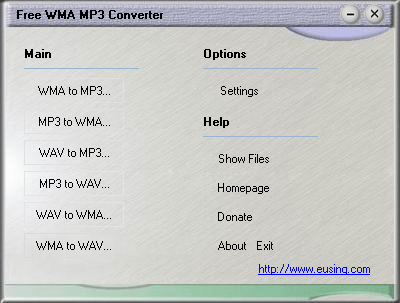
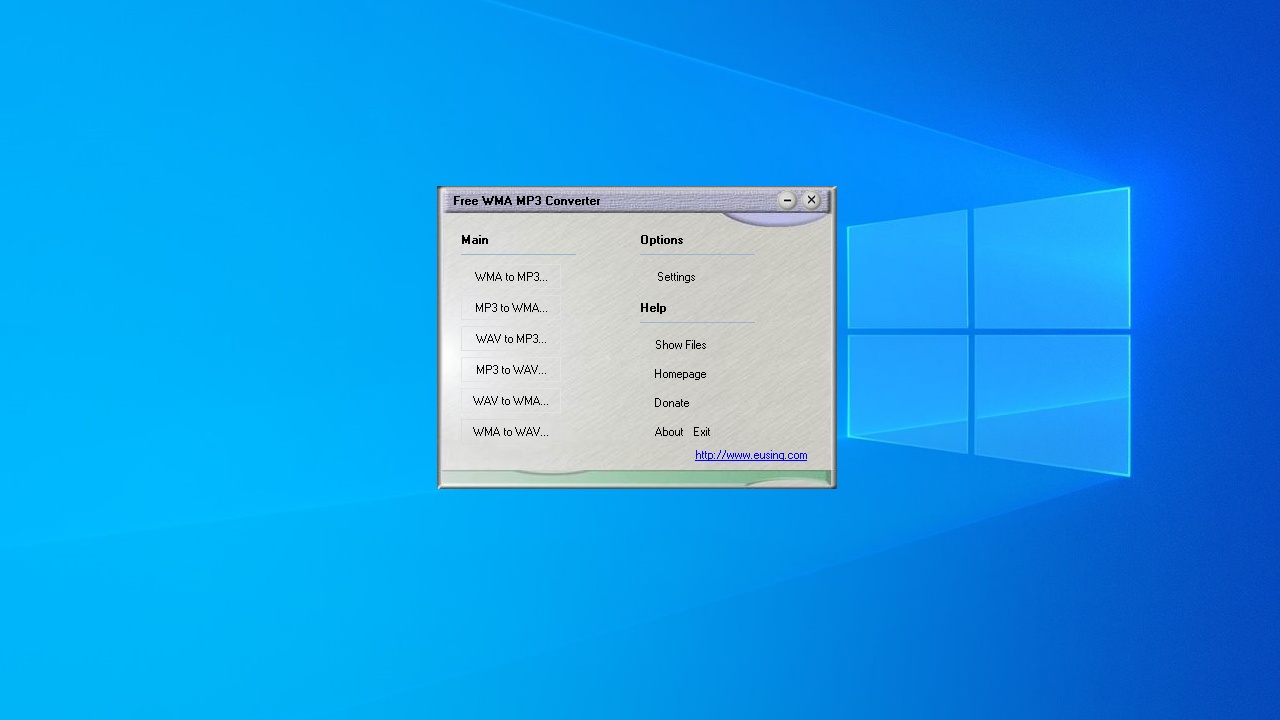
Free WMA MP3 Converter は、無料のオーディオファイルコンバーターです。WMA から MP3、MP3 から WMA、WAV から MP3、WAV から WMA、MP 3から WAV、WMA から WAV に変換できます。
Free WMA MP3 Converter の機能
Free WMA MP3 Converter の主な機能です。
機能
概要
メイン機能
オーディオファイルの変換
対応フォーマット
WMA を MP3 に変換
MP3 を WMA に変換
WAV を MP3 に変換
MP3 を WAV に変換
WAV を WMA に変換
WMA を WAV に変換
オプション機能
エンコード設定
タグエディタ内蔵
MP3 / WMA / WAV オーディオを変換できます
Free WMA MP3 Converter を使用すると、MP3 / WMA / WAV オーディオを変換することができます。
デフォルトで標準的なエンコードパラメータが設定されているので、難しい設定を行う必要なく、初心者でもかんたんにオーディオファイルを好みの形式に変換することができます。変換時に ID3 タグを編集することもできます。
無償で利用できるオーディオ変換ソフト
Free WMA MP3 Converter は、経験の少ない方でもかんたんに使用できるオーディオコンバータです。複数のオーディオファイルを一括変換することもできます。
機能
WMA を MP3 に変換
MP3 を WMA に変換
WAV を MP3 に変換
MP3 を WAV に変換
WAV を WMA に変換
WMA を WAV に変換
MP3(LAME)/WMA エンコード設定
ID3 タグの編集
価格: 無料
動作環境: Windows 7|8|8.1|10|11
使用言語: 英語
最終更新日:
7年前 (2018/12/18)
ダウンロード数: 654
使い方
インストール
1.インストール方法
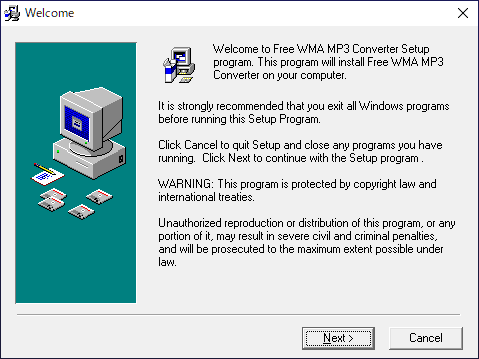
インストーラを実行するとセットアップウィザードが始まります。[Next ]をクリックします。
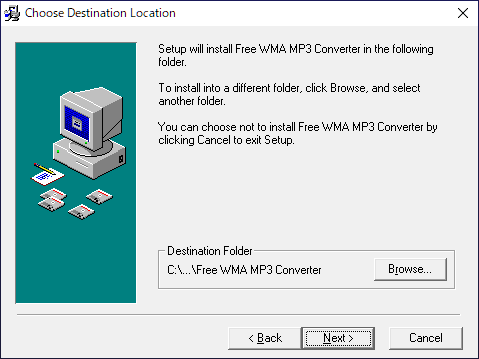
インストール先を確認または変更して[Next ]をクリックします。
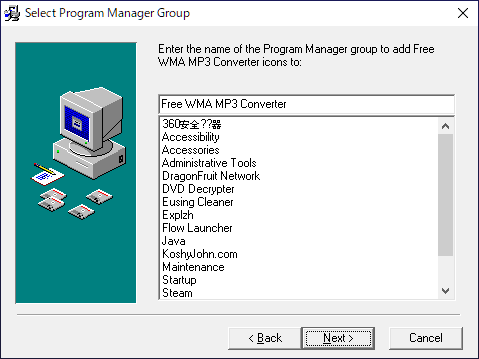
スタートメニューに作成するショートカットの設定です。変更しない場合はこのまま[Next ]をクリックします。
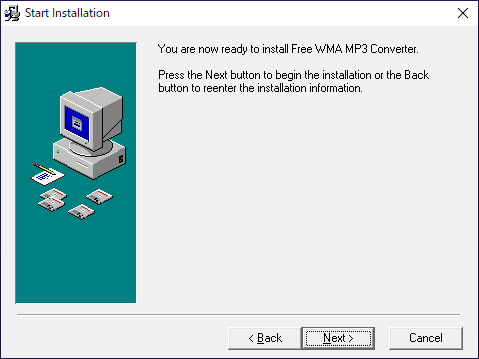
[Next ]をクリックしてインストールを開始します。
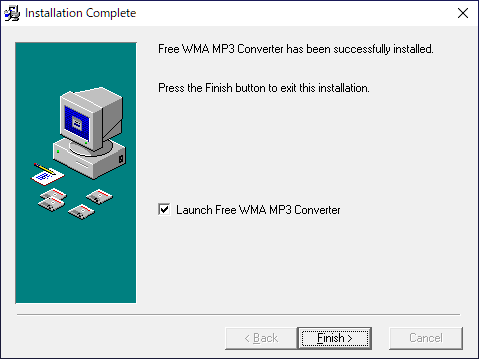
インストールが完了しました。[Finish ]をクリックしてセットアップウィザードを閉じます。
設定
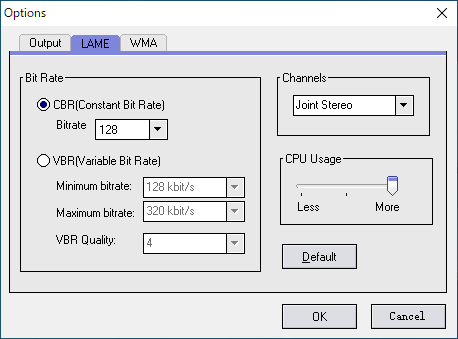
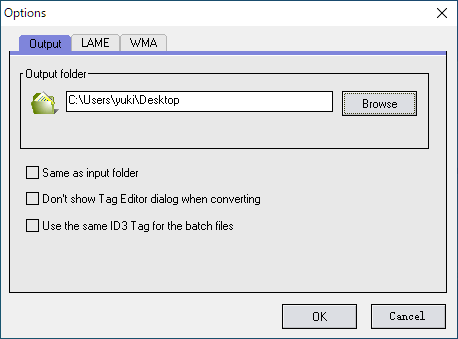
Free WMA MP3 Converter を起動したら、「Options 」の「Settings 」をクリックして設定を確認または変更しましょう。
1.Ourput
「Output 」では、保存先(出力先)のフォルダを設定できます。
・Same as input folder :入力フォルダと同じ場所に保存する
・Don’t show Tag Editor dialog when converting :変換時にタグエディタを表示しない
・Use the same ID3 Tag for the batch files :一括処理を行う場合、同じ ID3 タグを使用する
2.LAME
「LAME 」タブでは、MP3 の出力設定を行うことができます。
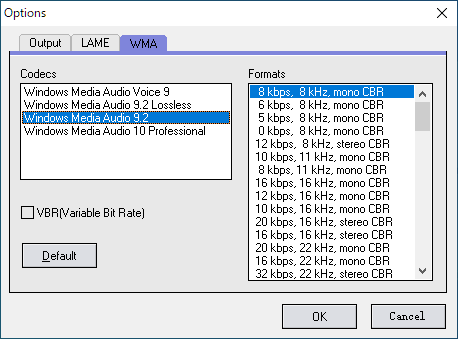
3.WMA
「WMA 」タブでは、WMA の出力設定を行うことができます。
基本的な使い方
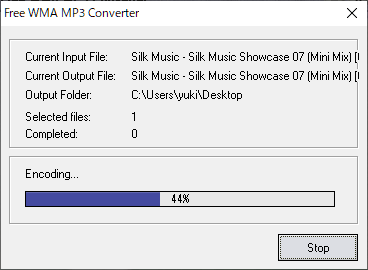
1.オーディオファイルを変換する
「Main 」から、使用したい機能をクリックします。
ファイルブラウザが開いたら、変換するファイルを選択します。
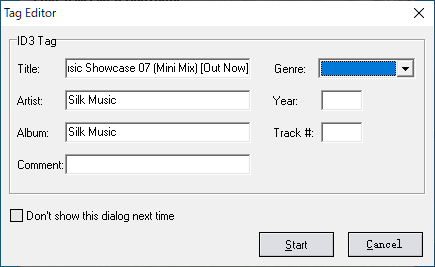
変換前に、タグエディタが表示されます。タグを確認または編集して[Start ]をクリックします。
よくある質問と回答
ライセンスについて。
ユーザーレビュー
レビューはまだありません、 最初のレビューを投稿してください。コメントは任意です。