").attr(n.scriptAttrs||{}).prop({charset:n.scriptCharset,src:n.url}).on("load error",i=function(e){r.remove(),i=null,e&&t("error"===e.type?404:200,e.type)}),C.head.appendChild(r[0])},abort:function(){i&&i()}}});var Jt,Kt=[],Zt=/(=)\?(?=&|$)|\?\?/;ce.ajaxSetup({jsonp:"callback",jsonpCallback:function(){var e=Kt.pop()||ce.expando+"_"+jt.guid++;return this[e]=!0,e}}),ce.ajaxPrefilter("json jsonp",function(e,t,n){var r,i,o,a=!1!==e.jsonp&&(Zt.test(e.url)?"url":"string"==typeof e.data&&0===(e.contentType||"").indexOf("application/x-www-form-urlencoded")&&Zt.test(e.data)&&"data");if(a||"jsonp"===e.dataTypes[0])return r=e.jsonpCallback=v(e.jsonpCallback)?e.jsonpCallback():e.jsonpCallback,a?e[a]=e[a].replace(Zt,"$1"+r):!1!==e.jsonp&&(e.url+=(At.test(e.url)?"&":"?")+e.jsonp+"="+r),e.converters["script json"]=function(){return o||ce.error(r+" was not called"),o[0]},e.dataTypes[0]="json",i=ie[r],ie[r]=function(){o=arguments},n.always(function(){void 0===i?ce(ie).removeProp(r):ie[r]=i,e[r]&&(e.jsonpCallback=t.jsonpCallback,Kt.push(r)),o&&v(i)&&i(o[0]),o=i=void 0}),"script"}),le.createHTMLDocument=((Jt=C.implementation.createHTMLDocument("").body).innerHTML="
",2===Jt.childNodes.length),ce.parseHTML=function(e,t,n){return"string"!=typeof e?[]:("boolean"==typeof t&&(n=t,t=!1),t||(le.createHTMLDocument?((r=(t=C.implementation.createHTMLDocument("")).createElement("base")).href=C.location.href,t.head.appendChild(r)):t=C),o=!n&&[],(i=w.exec(e))?[t.createElement(i[1])]:(i=Ae([e],t,o),o&&o.length&&ce(o).remove(),ce.merge([],i.childNodes)));var r,i,o},ce.fn.load=function(e,t,n){var r,i,o,a=this,s=e.indexOf(" ");return-1").append(ce.parseHTML(e)).find(r):e)}).always(n&&function(e,t){a.each(function(){n.apply(this,o||[e.responseText,t,e])})}),this},ce.expr.pseudos.animated=function(t){return ce.grep(ce.timers,function(e){return t===e.elem}).length},ce.offset={setOffset:function(e,t,n){var r,i,o,a,s,u,l=ce.css(e,"position"),c=ce(e),f={};"static"===l&&(e.style.position="relative"),s=c.offset(),o=ce.css(e,"top"),u=ce.css(e,"left"),("absolute"===l||"fixed"===l)&&-1<(o+u).indexOf("auto")?(a=(r=c.position()).top,i=r.left):(a=parseFloat(o)||0,i=parseFloat(u)||0),v(t)&&(t=t.call(e,n,ce.extend({},s))),null!=t.top&&(f.top=t.top-s.top+a),null!=t.left&&(f.left=t.left-s.left+i),"using"in t?t.using.call(e,f):c.css(f)}},ce.fn.extend({offset:function(t){if(arguments.length)return void 0===t?this:this.each(function(e){ce.offset.setOffset(this,t,e)});var e,n,r=this[0];return r?r.getClientRects().length?(e=r.getBoundingClientRect(),n=r.ownerDocument.defaultView,{top:e.top+n.pageYOffset,left:e.left+n.pageXOffset}):{top:0,left:0}:void 0},position:function(){if(this[0]){var e,t,n,r=this[0],i={top:0,left:0};if("fixed"===ce.css(r,"position"))t=r.getBoundingClientRect();else{t=this.offset(),n=r.ownerDocument,e=r.offsetParent||n.documentElement;while(e&&(e===n.body||e===n.documentElement)&&"static"===ce.css(e,"position"))e=e.parentNode;e&&e!==r&&1===e.nodeType&&((i=ce(e).offset()).top+=ce.css(e,"borderTopWidth",!0),i.left+=ce.css(e,"borderLeftWidth",!0))}return{top:t.top-i.top-ce.css(r,"marginTop",!0),left:t.left-i.left-ce.css(r,"marginLeft",!0)}}},offsetParent:function(){return this.map(function(){var e=this.offsetParent;while(e&&"static"===ce.css(e,"position"))e=e.offsetParent;return e||J})}}),ce.each({scrollLeft:"pageXOffset",scrollTop:"pageYOffset"},function(t,i){var o="pageYOffset"===i;ce.fn[t]=function(e){return M(this,function(e,t,n){var r;if(y(e)?r=e:9===e.nodeType&&(r=e.defaultView),void 0===n)return r?r[i]:e[t];r?r.scrollTo(o?r.pageXOffset:n,o?n:r.pageYOffset):e[t]=n},t,e,arguments.length)}}),ce.each(["top","left"],function(e,n){ce.cssHooks[n]=Ye(le.pixelPosition,function(e,t){if(t)return t=Ge(e,n),_e.test(t)?ce(e).position()[n]+"px":t})}),ce.each({Height:"height",Width:"width"},function(a,s){ce.each({padding:"inner"+a,content:s,"":"outer"+a},function(r,o){ce.fn[o]=function(e,t){var n=arguments.length&&(r||"boolean"!=typeof e),i=r||(!0===e||!0===t?"margin":"border");return M(this,function(e,t,n){var r;return y(e)?0===o.indexOf("outer")?e["inner"+a]:e.document.documentElement["client"+a]:9===e.nodeType?(r=e.documentElement,Math.max(e.body["scroll"+a],r["scroll"+a],e.body["offset"+a],r["offset"+a],r["client"+a])):void 0===n?ce.css(e,t,i):ce.style(e,t,n,i)},s,n?e:void 0,n)}})}),ce.each(["ajaxStart","ajaxStop","ajaxComplete","ajaxError","ajaxSuccess","ajaxSend"],function(e,t){ce.fn[t]=function(e){return this.on(t,e)}}),ce.fn.extend({bind:function(e,t,n){return this.on(e,null,t,n)},unbind:function(e,t){return this.off(e,null,t)},delegate:function(e,t,n,r){return this.on(t,e,n,r)},undelegate:function(e,t,n){return 1===arguments.length?this.off(e,"**"):this.off(t,e||"**",n)},hover:function(e,t){return this.on("mouseenter",e).on("mouseleave",t||e)}}),ce.each("blur focus focusin focusout resize scroll click dblclick mousedown mouseup mousemove mouseover mouseout mouseenter mouseleave change select submit keydown keypress keyup contextmenu".split(" "),function(e,n){ce.fn[n]=function(e,t){return 0
Wake on LAN 1.1
ネットワーク
説明機能仕様ダウンロード画像使い方
コンピュータをリモートで起動/再起動/シャットダウンできる Wake on LAN ツール

ネットワーク(LAN)に繋がっているコンピュータの電源を遠隔でオンにしたり、再起動やシャットダウンを実行することができる Wake On LAN ツール。
Wake on LAN の概要
Wake on LAN を使用すると、リモートから任意の WOL 対応コンピュータをウェイクアップ、再起動、シャットダウンすることができます。
Wake on LAN の機能
Wake on LAN の主な機能です。
| 機能 |
概要 |
| メイン機能 |
Wake On LAN ツール |
| 機能詳細 |
・リモートのデバイスを起動、再起動、シャットダウンする
・複数のデバイスを同時に操作可能 |
リモートのコンピュータの電源をオンにできます
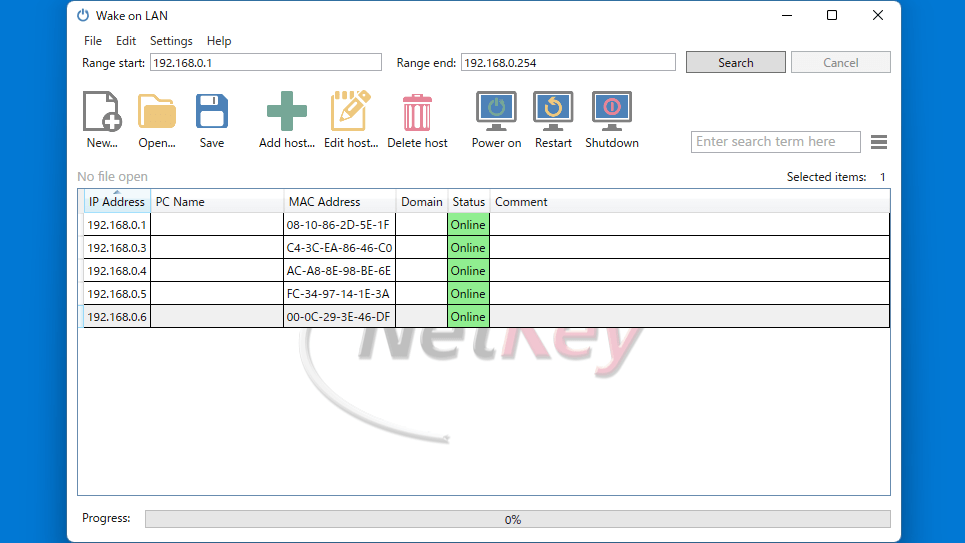
Wake on LAN は、ネットワーク経由で手元のコンピュータから離れた場所に設置しているコンピュータの電源をオンにすることができるアプリケーションです。
単一および複数のホストを同時にウェイクアップすることも可能で、この WOL ツールは、複数のデバイスの再起動とシャットダウンを同時にサポートします。
ネットワークスキャナを内蔵しています
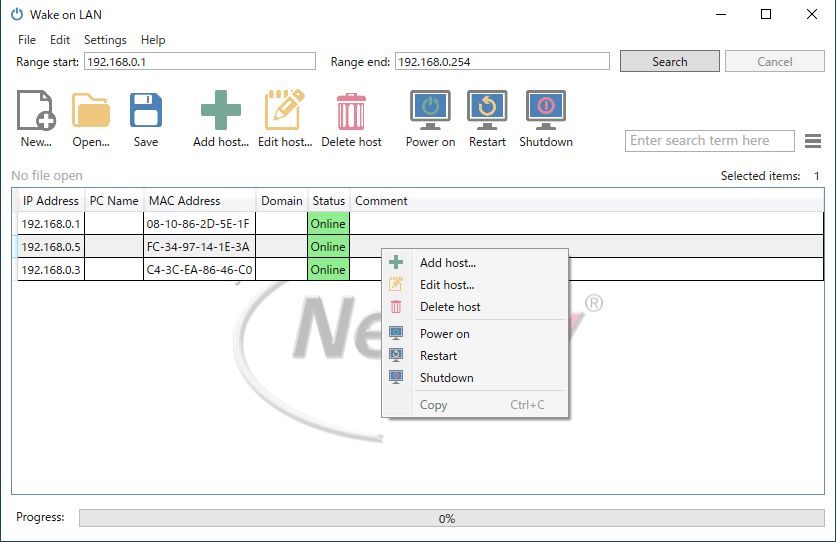
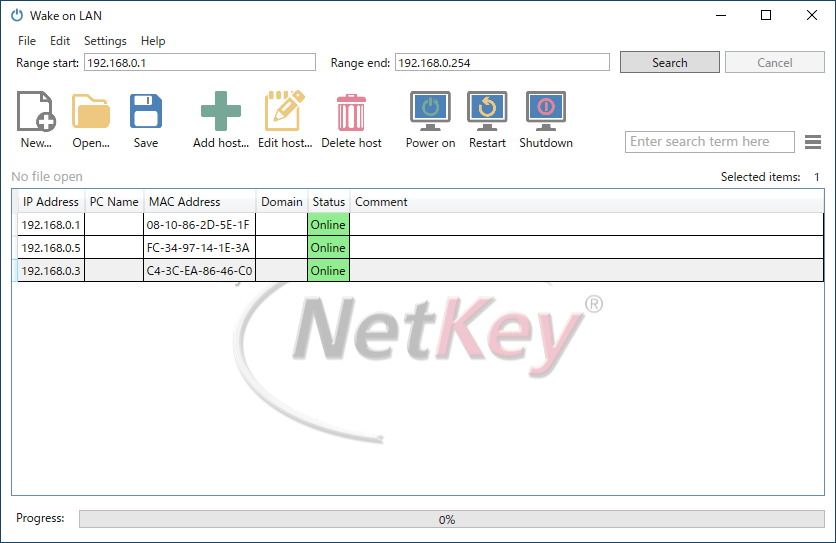
Wake on LAN には、ネットワーク(LAN)内のデバイスを検出できるネットワークスキャナが内蔵されているので、ボタンをクリックするだけで自動的にネットワーク内のすべてのデバイスが一覧表示されます。
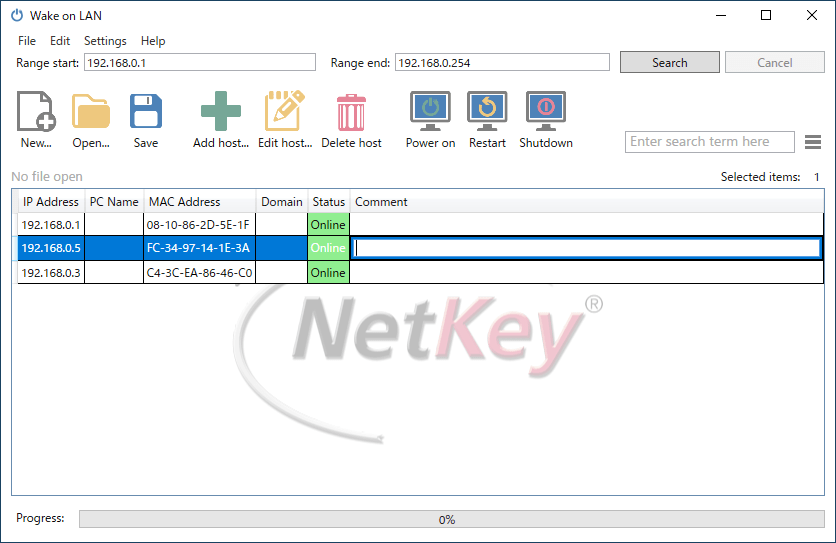
検出されたデバイスにはカスタムコメントを追加でき、PC 名などは編集可能です。手動でデバイスを追加することもできます。
使いやすい Wake on LAN ツール
Wake on LAN は、使いやすい優れた直感的なインターフェースと、強力なパフォーマンスを備えているアプリケーションです。リモートの単一または複数のデバイスを起動したり、シャットダウンや再起動を行いたい場合に役に立ちます。
機能
- リモートのデバイスを起動、再起動、シャットダウンする
- 複数のデバイスを同時に操作可能
価格:無料
動作環境:Windows 7|8|8.1|10|11
使用言語:英語・ドイツ語ほか
最終更新日:
5年前 (2021/09/13)
ダウンロード数:1154
画像

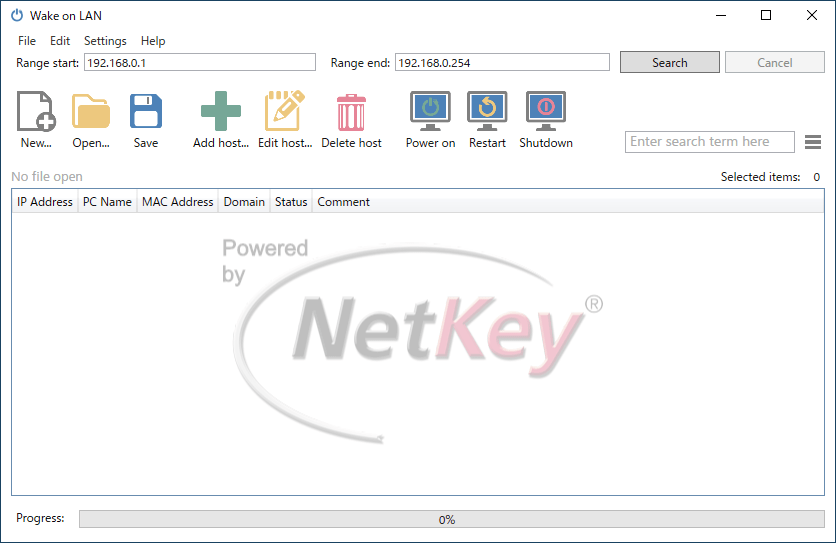
ユーザーインターフェース

ネットワークスキャン

コメントの追加

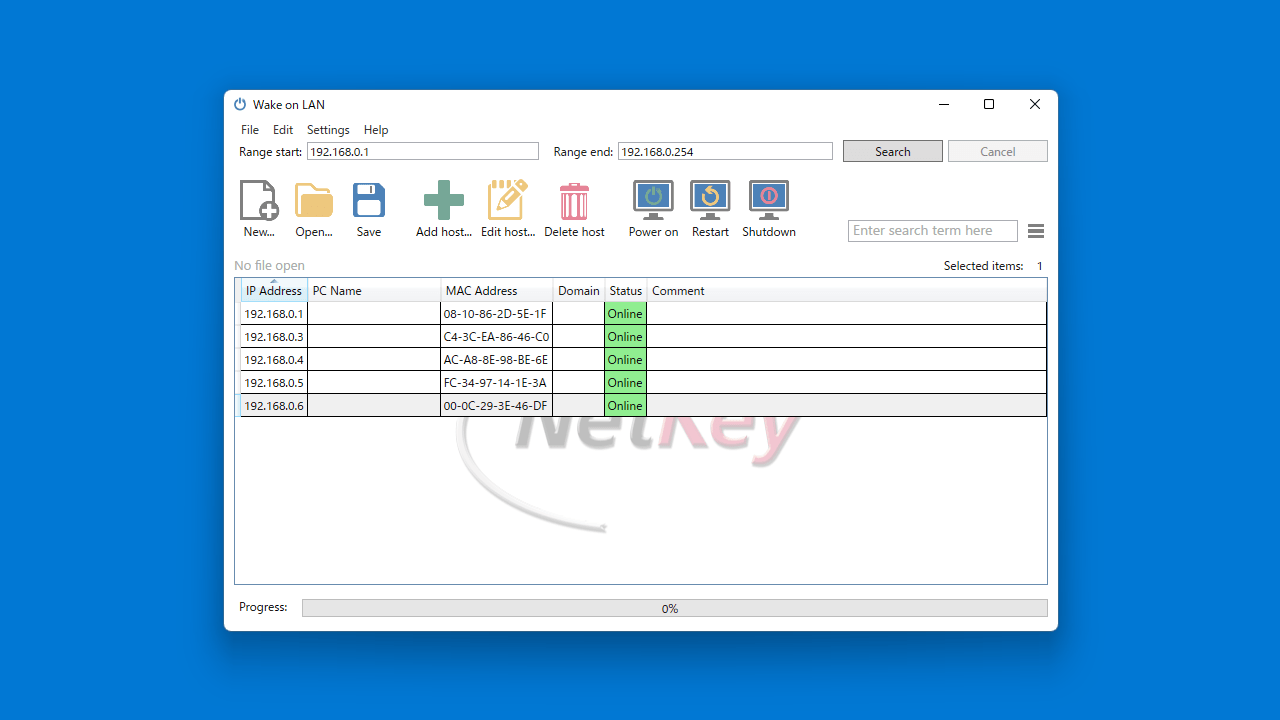
起動/再起動/シャットダウンの実行
使い方
インストール
1.インストール方法
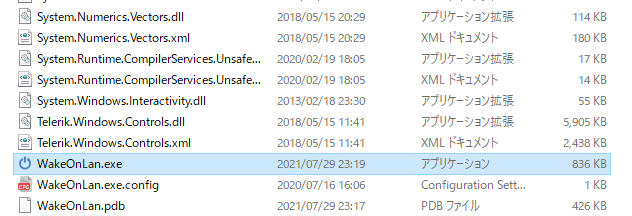
Wake on LAN は、インストール不要で使用できます。
- ダウンロードした ZIP ファイルを解凍し、「WakeOnLan.exe」ファイルを実行するとアプリケーションを使用できます。
言語を日本語に変更する
1.言語を日本語に変更する
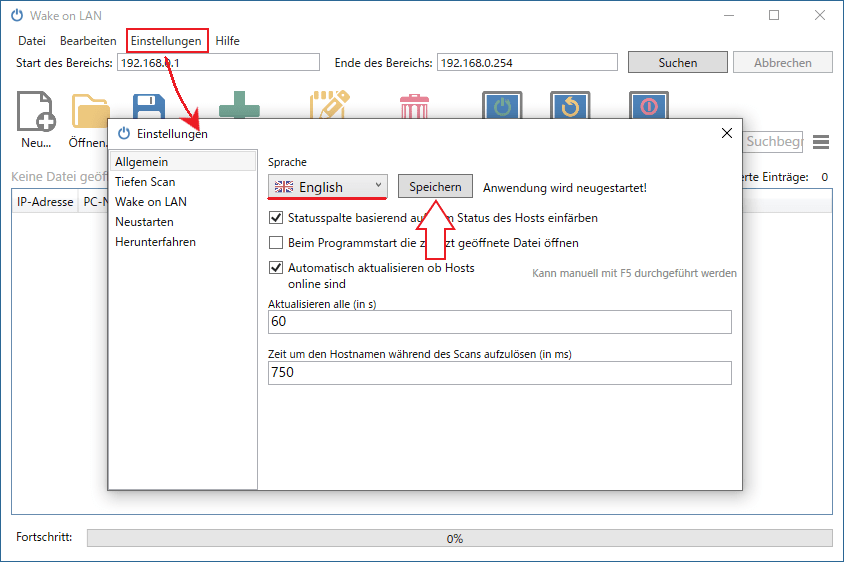
- Wake on LAN を起動したら、「Einstellungen」をクリックして設定画面を開きます。
- 「Allgemein」タブを開き、「Sprache」のドロップダウンで言語を選択します。
- [Sprachern]ボタンをクリックすると、言語が変更されます。
基本的な使い方
1.基本的な使い方
- [Search]ボタンをクリックしてネットワークをスキャンすると、ネットワーク上のデバイスが一覧表示されます。
- ツールバーの「Add host」ボタンをクリックして、手動でデバイスを追加することもできます。

- デバイスを選択して、ツールバーまたは右クリックメニューから、リモートのデバイスを起動/再起動/シャットダウンすることができます。

- 「Comment」欄をクリックすると、デバイスにコメントを追加できます。
よくある質問と回答
ライセンスについて。
Wake on LAN は、どなたでも無料で使用できます。