").attr(n.scriptAttrs||{}).prop({charset:n.scriptCharset,src:n.url}).on("load error",i=function(e){r.remove(),i=null,e&&t("error"===e.type?404:200,e.type)}),C.head.appendChild(r[0])},abort:function(){i&&i()}}});var Jt,Kt=[],Zt=/(=)\?(?=&|$)|\?\?/;ce.ajaxSetup({jsonp:"callback",jsonpCallback:function(){var e=Kt.pop()||ce.expando+"_"+jt.guid++;return this[e]=!0,e}}),ce.ajaxPrefilter("json jsonp",function(e,t,n){var r,i,o,a=!1!==e.jsonp&&(Zt.test(e.url)?"url":"string"==typeof e.data&&0===(e.contentType||"").indexOf("application/x-www-form-urlencoded")&&Zt.test(e.data)&&"data");if(a||"jsonp"===e.dataTypes[0])return r=e.jsonpCallback=v(e.jsonpCallback)?e.jsonpCallback():e.jsonpCallback,a?e[a]=e[a].replace(Zt,"$1"+r):!1!==e.jsonp&&(e.url+=(At.test(e.url)?"&":"?")+e.jsonp+"="+r),e.converters["script json"]=function(){return o||ce.error(r+" was not called"),o[0]},e.dataTypes[0]="json",i=ie[r],ie[r]=function(){o=arguments},n.always(function(){void 0===i?ce(ie).removeProp(r):ie[r]=i,e[r]&&(e.jsonpCallback=t.jsonpCallback,Kt.push(r)),o&&v(i)&&i(o[0]),o=i=void 0}),"script"}),le.createHTMLDocument=((Jt=C.implementation.createHTMLDocument("").body).innerHTML="
",2===Jt.childNodes.length),ce.parseHTML=function(e,t,n){return"string"!=typeof e?[]:("boolean"==typeof t&&(n=t,t=!1),t||(le.createHTMLDocument?((r=(t=C.implementation.createHTMLDocument("")).createElement("base")).href=C.location.href,t.head.appendChild(r)):t=C),o=!n&&[],(i=w.exec(e))?[t.createElement(i[1])]:(i=Ae([e],t,o),o&&o.length&&ce(o).remove(),ce.merge([],i.childNodes)));var r,i,o},ce.fn.load=function(e,t,n){var r,i,o,a=this,s=e.indexOf(" ");return-1").append(ce.parseHTML(e)).find(r):e)}).always(n&&function(e,t){a.each(function(){n.apply(this,o||[e.responseText,t,e])})}),this},ce.expr.pseudos.animated=function(t){return ce.grep(ce.timers,function(e){return t===e.elem}).length},ce.offset={setOffset:function(e,t,n){var r,i,o,a,s,u,l=ce.css(e,"position"),c=ce(e),f={};"static"===l&&(e.style.position="relative"),s=c.offset(),o=ce.css(e,"top"),u=ce.css(e,"left"),("absolute"===l||"fixed"===l)&&-1<(o+u).indexOf("auto")?(a=(r=c.position()).top,i=r.left):(a=parseFloat(o)||0,i=parseFloat(u)||0),v(t)&&(t=t.call(e,n,ce.extend({},s))),null!=t.top&&(f.top=t.top-s.top+a),null!=t.left&&(f.left=t.left-s.left+i),"using"in t?t.using.call(e,f):c.css(f)}},ce.fn.extend({offset:function(t){if(arguments.length)return void 0===t?this:this.each(function(e){ce.offset.setOffset(this,t,e)});var e,n,r=this[0];return r?r.getClientRects().length?(e=r.getBoundingClientRect(),n=r.ownerDocument.defaultView,{top:e.top+n.pageYOffset,left:e.left+n.pageXOffset}):{top:0,left:0}:void 0},position:function(){if(this[0]){var e,t,n,r=this[0],i={top:0,left:0};if("fixed"===ce.css(r,"position"))t=r.getBoundingClientRect();else{t=this.offset(),n=r.ownerDocument,e=r.offsetParent||n.documentElement;while(e&&(e===n.body||e===n.documentElement)&&"static"===ce.css(e,"position"))e=e.parentNode;e&&e!==r&&1===e.nodeType&&((i=ce(e).offset()).top+=ce.css(e,"borderTopWidth",!0),i.left+=ce.css(e,"borderLeftWidth",!0))}return{top:t.top-i.top-ce.css(r,"marginTop",!0),left:t.left-i.left-ce.css(r,"marginLeft",!0)}}},offsetParent:function(){return this.map(function(){var e=this.offsetParent;while(e&&"static"===ce.css(e,"position"))e=e.offsetParent;return e||J})}}),ce.each({scrollLeft:"pageXOffset",scrollTop:"pageYOffset"},function(t,i){var o="pageYOffset"===i;ce.fn[t]=function(e){return M(this,function(e,t,n){var r;if(y(e)?r=e:9===e.nodeType&&(r=e.defaultView),void 0===n)return r?r[i]:e[t];r?r.scrollTo(o?r.pageXOffset:n,o?n:r.pageYOffset):e[t]=n},t,e,arguments.length)}}),ce.each(["top","left"],function(e,n){ce.cssHooks[n]=Ye(le.pixelPosition,function(e,t){if(t)return t=Ge(e,n),_e.test(t)?ce(e).position()[n]+"px":t})}),ce.each({Height:"height",Width:"width"},function(a,s){ce.each({padding:"inner"+a,content:s,"":"outer"+a},function(r,o){ce.fn[o]=function(e,t){var n=arguments.length&&(r||"boolean"!=typeof e),i=r||(!0===e||!0===t?"margin":"border");return M(this,function(e,t,n){var r;return y(e)?0===o.indexOf("outer")?e["inner"+a]:e.document.documentElement["client"+a]:9===e.nodeType?(r=e.documentElement,Math.max(e.body["scroll"+a],r["scroll"+a],e.body["offset"+a],r["offset"+a],r["client"+a])):void 0===n?ce.css(e,t,i):ce.style(e,t,n,i)},s,n?e:void 0,n)}})}),ce.each(["ajaxStart","ajaxStop","ajaxComplete","ajaxError","ajaxSuccess","ajaxSend"],function(e,t){ce.fn[t]=function(e){return this.on(t,e)}}),ce.fn.extend({bind:function(e,t,n){return this.on(e,null,t,n)},unbind:function(e,t){return this.off(e,null,t)},delegate:function(e,t,n,r){return this.on(t,e,n,r)},undelegate:function(e,t,n){return 1===arguments.length?this.off(e,"**"):this.off(t,e||"**",n)},hover:function(e,t){return this.on("mouseenter",e).on("mouseleave",t||e)}}),ce.each("blur focus focusin focusout resize scroll click dblclick mousedown mouseup mousemove mouseover mouseout mouseenter mouseleave change select submit keydown keypress keyup contextmenu".split(" "),function(e,n){ce.fn[n]=function(e,t){return 0
Free Torrent Download 1.1.0.903
ダウンロードマネージャ
2023/12/02 14:38
説明機能仕様ダウンロード画像使い方
Windows 向けの使いやすいシンプルな BitTorrent クライアント

Torrent ファイルやマグネットリンクを使用してファイルを高速にダウンロードすることができる、Windows 向けのシンプルな BitTorrent クライアント。ダウンロード数や速度制限などのオプションが利用できます。

Free Torrent Download の概要
Free Torrent Download は、Torrent ファイルをダウンロードすることができる BitTorrent クライアントです。
Free Torrent Download の機能
Free Torrent Download の主な機能です。
| 機能 |
概要 |
| メイン機能 |
BitTorrent クライアント |
| 機能詳細 |
・Torrent ファイルやマグネットリンクをダウンロードする。
・ダウンロード数や帯域幅の制限が可能。
・Torrent ファイルを作成する。 |
Torrent ファイルやマグネットリンクをダウンロードできます
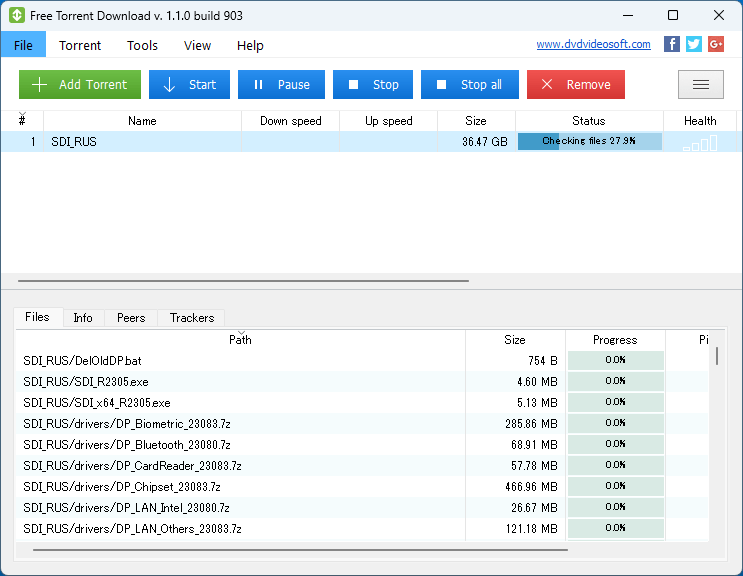
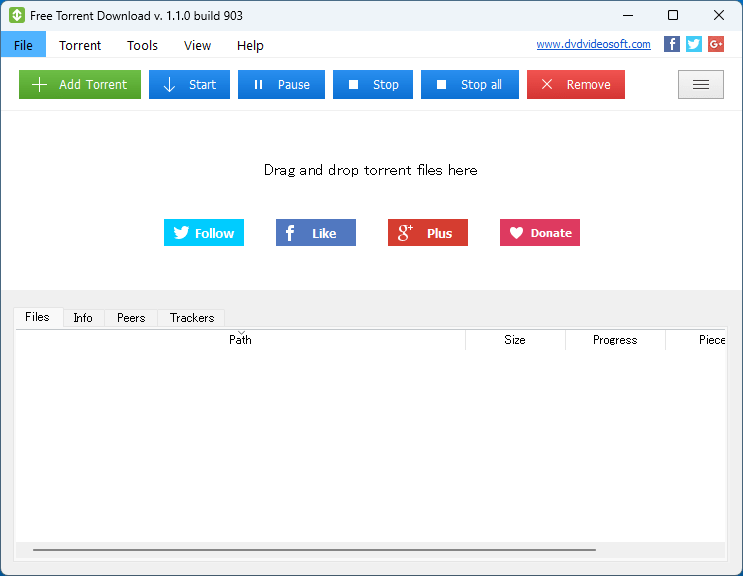
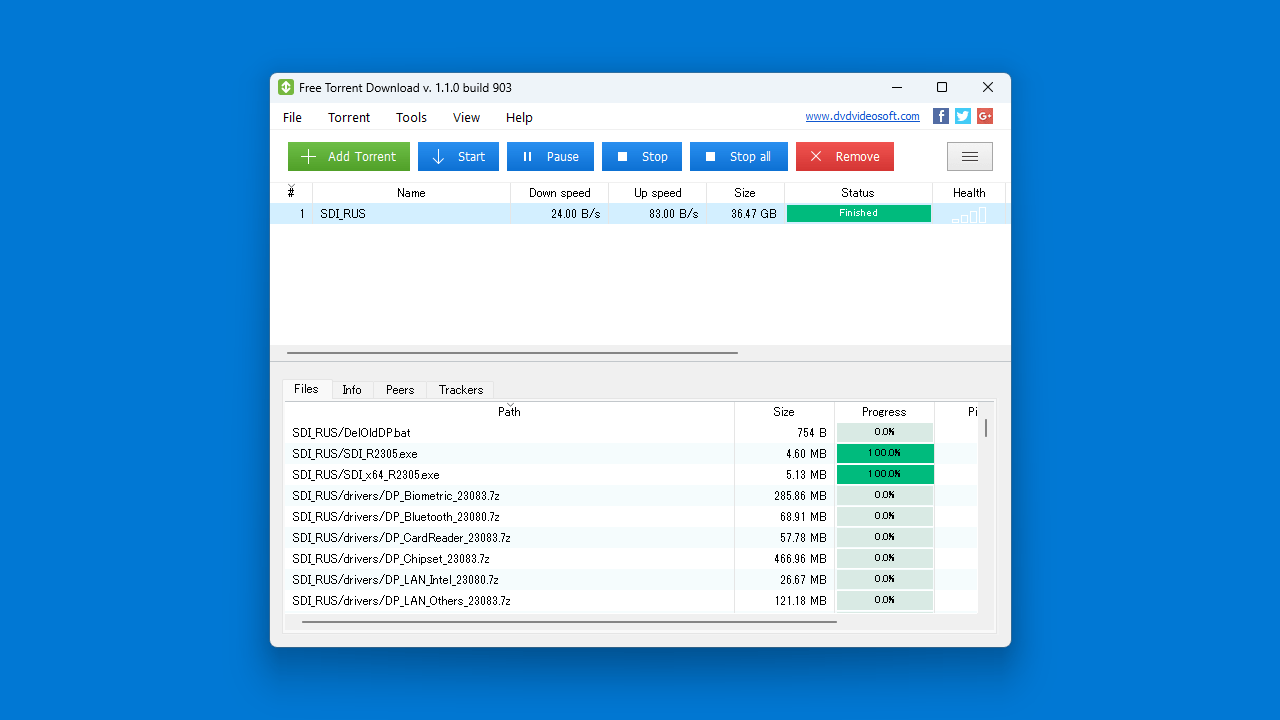
Free Torrent Download は、Torrent ファイルやマグネットリンクを使用してファイルを高速にダウンロードすることができる、Windows 向けのシンプルな BitTorrent クライアントです。
Free Torrent Download を使用すると、かんたんな手順で Torrent ファイルを PC にダウンロードできます。このアプリケーションは、時間と労力を節約するために、高速に動作するように作られています。
使い方はかんたんです
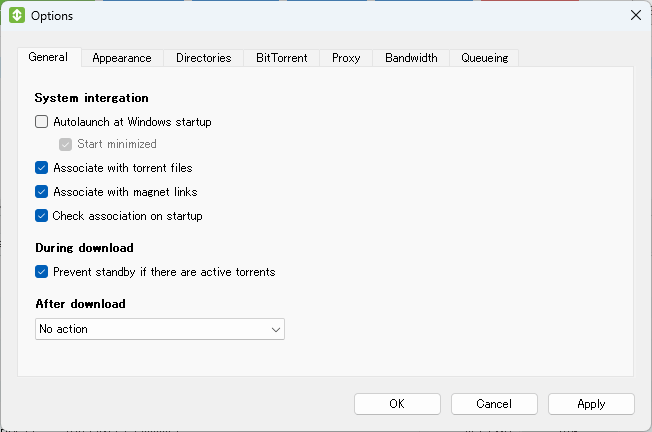
Free Torrent Download の使い方はかんたんで、ダウンロードしたい Torrent ファイルをダブルクリックして実行するか、アプリケーションのウィンドウにドラッグアンドドロップして追加するだけで、ファイルのダウンロードを開始できます。
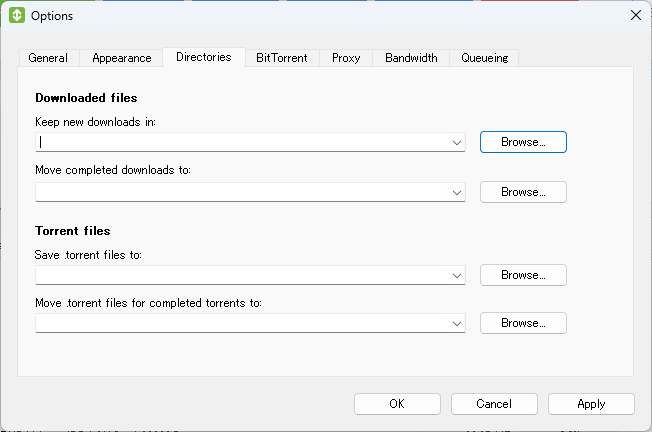
オプションを使用すると、ダウンロード先のフォルダを変更したり、プロキシやダウンロード数の制限、帯域幅の制限などを設定できます。
使いやすくシンプルな BitTorrent クライアント
Free Torrent Download は、誰でもかんたんに使うことができるシンプルな BitTorrent クライアントです。Skype、ゲームのプレイ、ビデオのストリーミングなどを妨げずに、高速かつかんたんにファイルをダウンロードできるように特別に設計されています。
機能
- Torrent ファイルをダウンロードする。
- 速度やサイズの制限はありません。
- 使い方を簡単にするガイドがあるため、初心者に適しています。
- トレントダウンロードの簡単な管理。
- 上級ユーザーを満足させる構成設定。
- サイズが小さいため、ダウンロードが速く、インストールが非常に効率的です。
- シンプルで使いやすいインターフェース。
- システムの起動時に torrent ダウンローダーを起動します。
- ダウンロードしたファイルの場所を選択します。
- メインサーバーが利用できない場合は、他のポートとネットワークを使用します。
- プロキシ設定を構成します。
- キューとダウンロードの制限を設定します。
価格:無料
動作環境:Windows 7|8|8.1|10|11
使用言語:英語ほか
最終更新日:
1年前 (2024/11/29)
ダウンロード数:435
画像

ユーザーインターフェース

ファイルの選択

ダウンロード

オプション
使い方
インストール方法
1.インストール方法
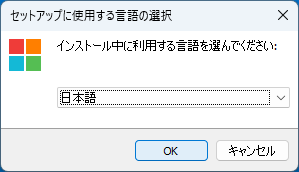
- インストール時に使用する言語を選択して[OK]をクリックします。
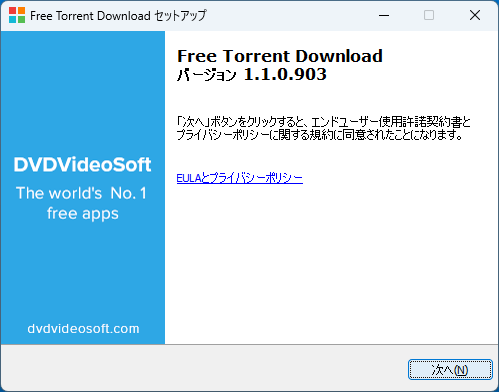
- セットアップウィザードが開始したら[次へ]をクリックします。
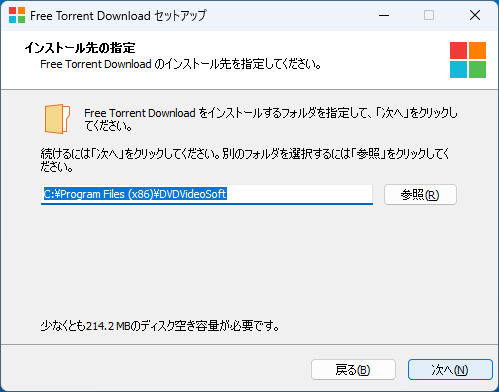
- インストール先を確認して[次へ]をクリックします。
基本的な使い方
1. 基本的な使い方
- [Add Torrent]ボタンをクリックして、ダウンロードする Torrent ファイルを選択します。

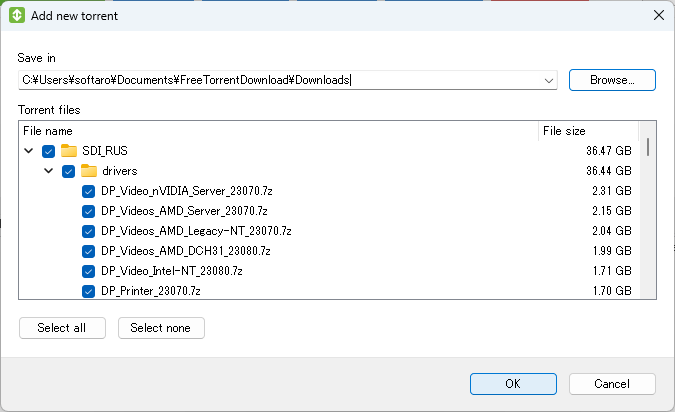
- ダウンロードするファイルを選択して[OK]をクリックします。


- デフォルトでは、ファイルは Windows の「ドキュメント」フォルダにダウンロードされます。
- 「Tools」>「Options」の「Directories」タブを開くと、ダウンロード先を設定できます。

よくある質問と回答
ライセンスについて。
Free Torrent Download は、どなたでも無料で利用できます。