").attr(n.scriptAttrs||{}).prop({charset:n.scriptCharset,src:n.url}).on("load error",i=function(e){r.remove(),i=null,e&&t("error"===e.type?404:200,e.type)}),C.head.appendChild(r[0])},abort:function(){i&&i()}}});var Jt,Kt=[],Zt=/(=)\?(?=&|$)|\?\?/;ce.ajaxSetup({jsonp:"callback",jsonpCallback:function(){var e=Kt.pop()||ce.expando+"_"+jt.guid++;return this[e]=!0,e}}),ce.ajaxPrefilter("json jsonp",function(e,t,n){var r,i,o,a=!1!==e.jsonp&&(Zt.test(e.url)?"url":"string"==typeof e.data&&0===(e.contentType||"").indexOf("application/x-www-form-urlencoded")&&Zt.test(e.data)&&"data");if(a||"jsonp"===e.dataTypes[0])return r=e.jsonpCallback=v(e.jsonpCallback)?e.jsonpCallback():e.jsonpCallback,a?e[a]=e[a].replace(Zt,"$1"+r):!1!==e.jsonp&&(e.url+=(At.test(e.url)?"&":"?")+e.jsonp+"="+r),e.converters["script json"]=function(){return o||ce.error(r+" was not called"),o[0]},e.dataTypes[0]="json",i=ie[r],ie[r]=function(){o=arguments},n.always(function(){void 0===i?ce(ie).removeProp(r):ie[r]=i,e[r]&&(e.jsonpCallback=t.jsonpCallback,Kt.push(r)),o&&v(i)&&i(o[0]),o=i=void 0}),"script"}),le.createHTMLDocument=((Jt=C.implementation.createHTMLDocument("").body).innerHTML="
",2===Jt.childNodes.length),ce.parseHTML=function(e,t,n){return"string"!=typeof e?[]:("boolean"==typeof t&&(n=t,t=!1),t||(le.createHTMLDocument?((r=(t=C.implementation.createHTMLDocument("")).createElement("base")).href=C.location.href,t.head.appendChild(r)):t=C),o=!n&&[],(i=w.exec(e))?[t.createElement(i[1])]:(i=Ae([e],t,o),o&&o.length&&ce(o).remove(),ce.merge([],i.childNodes)));var r,i,o},ce.fn.load=function(e,t,n){var r,i,o,a=this,s=e.indexOf(" ");return-1").append(ce.parseHTML(e)).find(r):e)}).always(n&&function(e,t){a.each(function(){n.apply(this,o||[e.responseText,t,e])})}),this},ce.expr.pseudos.animated=function(t){return ce.grep(ce.timers,function(e){return t===e.elem}).length},ce.offset={setOffset:function(e,t,n){var r,i,o,a,s,u,l=ce.css(e,"position"),c=ce(e),f={};"static"===l&&(e.style.position="relative"),s=c.offset(),o=ce.css(e,"top"),u=ce.css(e,"left"),("absolute"===l||"fixed"===l)&&-1<(o+u).indexOf("auto")?(a=(r=c.position()).top,i=r.left):(a=parseFloat(o)||0,i=parseFloat(u)||0),v(t)&&(t=t.call(e,n,ce.extend({},s))),null!=t.top&&(f.top=t.top-s.top+a),null!=t.left&&(f.left=t.left-s.left+i),"using"in t?t.using.call(e,f):c.css(f)}},ce.fn.extend({offset:function(t){if(arguments.length)return void 0===t?this:this.each(function(e){ce.offset.setOffset(this,t,e)});var e,n,r=this[0];return r?r.getClientRects().length?(e=r.getBoundingClientRect(),n=r.ownerDocument.defaultView,{top:e.top+n.pageYOffset,left:e.left+n.pageXOffset}):{top:0,left:0}:void 0},position:function(){if(this[0]){var e,t,n,r=this[0],i={top:0,left:0};if("fixed"===ce.css(r,"position"))t=r.getBoundingClientRect();else{t=this.offset(),n=r.ownerDocument,e=r.offsetParent||n.documentElement;while(e&&(e===n.body||e===n.documentElement)&&"static"===ce.css(e,"position"))e=e.parentNode;e&&e!==r&&1===e.nodeType&&((i=ce(e).offset()).top+=ce.css(e,"borderTopWidth",!0),i.left+=ce.css(e,"borderLeftWidth",!0))}return{top:t.top-i.top-ce.css(r,"marginTop",!0),left:t.left-i.left-ce.css(r,"marginLeft",!0)}}},offsetParent:function(){return this.map(function(){var e=this.offsetParent;while(e&&"static"===ce.css(e,"position"))e=e.offsetParent;return e||J})}}),ce.each({scrollLeft:"pageXOffset",scrollTop:"pageYOffset"},function(t,i){var o="pageYOffset"===i;ce.fn[t]=function(e){return M(this,function(e,t,n){var r;if(y(e)?r=e:9===e.nodeType&&(r=e.defaultView),void 0===n)return r?r[i]:e[t];r?r.scrollTo(o?r.pageXOffset:n,o?n:r.pageYOffset):e[t]=n},t,e,arguments.length)}}),ce.each(["top","left"],function(e,n){ce.cssHooks[n]=Ye(le.pixelPosition,function(e,t){if(t)return t=Ge(e,n),_e.test(t)?ce(e).position()[n]+"px":t})}),ce.each({Height:"height",Width:"width"},function(a,s){ce.each({padding:"inner"+a,content:s,"":"outer"+a},function(r,o){ce.fn[o]=function(e,t){var n=arguments.length&&(r||"boolean"!=typeof e),i=r||(!0===e||!0===t?"margin":"border");return M(this,function(e,t,n){var r;return y(e)?0===o.indexOf("outer")?e["inner"+a]:e.document.documentElement["client"+a]:9===e.nodeType?(r=e.documentElement,Math.max(e.body["scroll"+a],r["scroll"+a],e.body["offset"+a],r["offset"+a],r["client"+a])):void 0===n?ce.css(e,t,i):ce.style(e,t,n,i)},s,n?e:void 0,n)}})}),ce.each(["ajaxStart","ajaxStop","ajaxComplete","ajaxError","ajaxSuccess","ajaxSend"],function(e,t){ce.fn[t]=function(e){return this.on(t,e)}}),ce.fn.extend({bind:function(e,t,n){return this.on(e,null,t,n)},unbind:function(e,t){return this.off(e,null,t)},delegate:function(e,t,n,r){return this.on(t,e,n,r)},undelegate:function(e,t,n){return 1===arguments.length?this.off(e,"**"):this.off(t,e||"**",n)},hover:function(e,t){return this.on("mouseenter",e).on("mouseleave",t||e)}}),ce.each("blur focus focusin focusout resize scroll click dblclick mousedown mouseup mousemove mouseover mouseout mouseenter mouseleave change select submit keydown keypress keyup contextmenu".split(" "),function(e,n){ce.fn[n]=function(e,t){return 0
Tixati 3.29
ダウンロードマネージャ
2024/03/24 14:35
説明機能仕様ダウンロード画像使い方
シンプルで使いやすい BitTorrent クライアント

torrent ファイルおよび magnet リンクのファイルをダウンロードすることができる、Windows および Linux 向けのフリー の BitTorrent クライアント。本格的な機能を持ちながら使いやすいのが特徴です。
Tixati の概要
Tixati は、 100% 無料で、シンプルで使いやすい BitTorrent クライアントです。
Tixati の機能
Tixati の主な機能です。
| 機能 |
概要 |
| メイン機能 |
BitTorrent クライアント |
| 機能詳細 |
・超高速ダウンロード アルゴリズム
・DHT、PEX、および Magnet Link のサポート |
フリー の BitTorrent クライアント
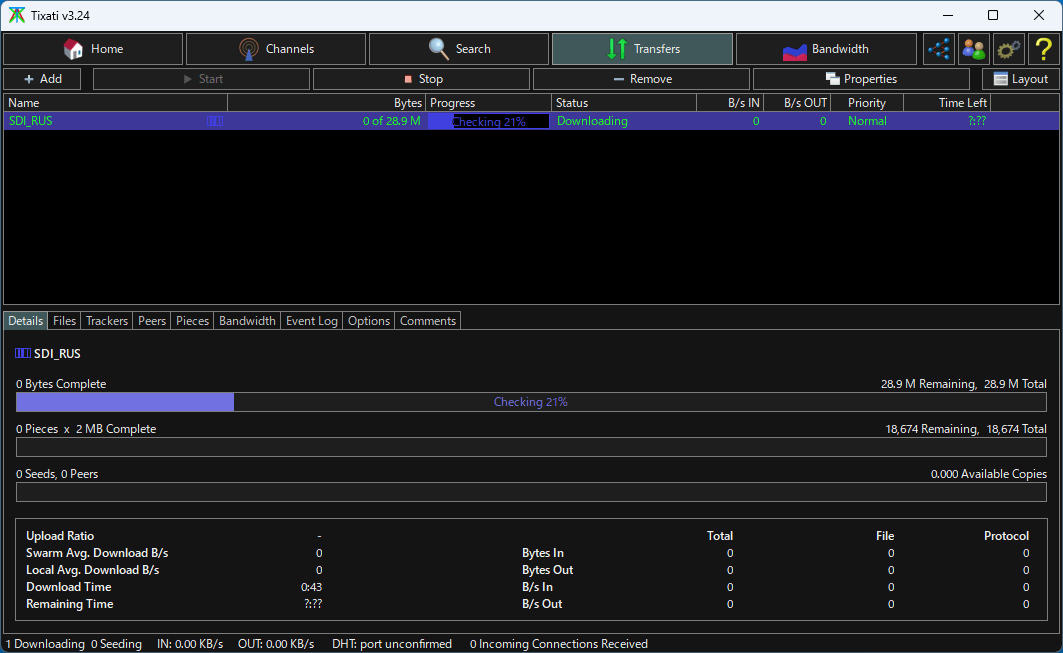
Tixati は、torrent ファイルおよび magnet リンクのファイルをダウンロードすることができる、Windows および Linux 向けのフリー の BitTorrent クライアントです。
Tixati は、より本格的なファイル共有を行いたい人のための高度な機能を保持しながら、初めてのユーザーにとっても、使いやすいように設計されています。
使い方はかんたんです
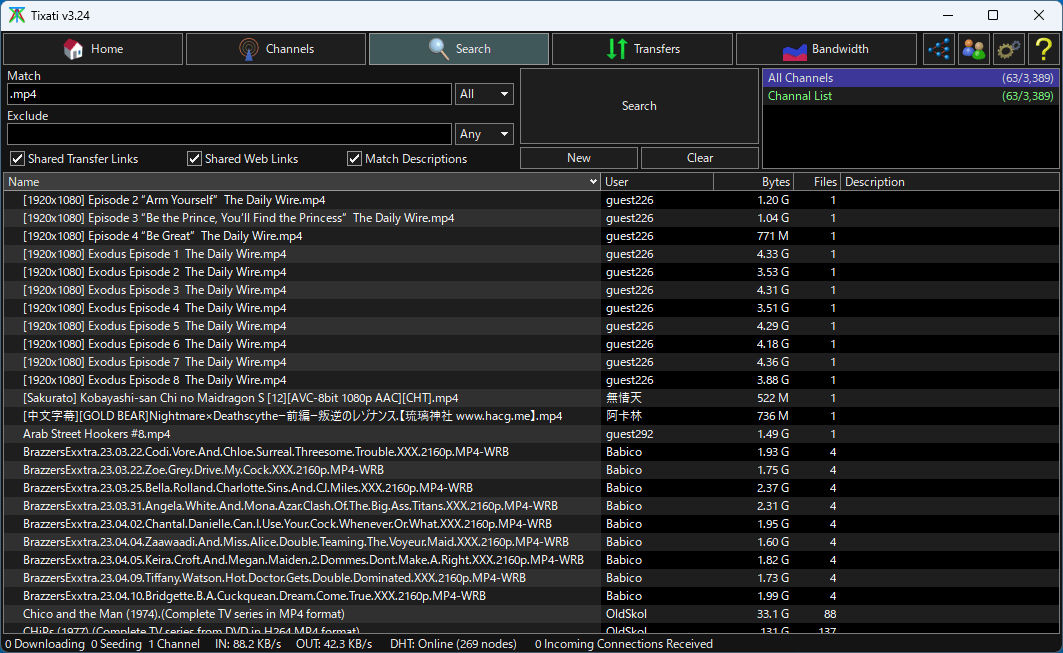
Tixati を使用すると、大きなファイルを分割して小さなパーツで部分的にダウンロードし、後で結合できるため、特に大きいサイズのファイルのダウンロードプロセスが大幅に高速になります。
Tixati は、DHT および PEX をサポートする超高速ダウンロード アルゴリズムを備えており、ノードテーブルを表示する機能とともに、処理されたトランザクションと受信/送信パケットを監視できます。
あらゆるタイプのユーザーに適した BitTorrent クライアント
Tixati は、初心者から上級者までのあらゆるタイプのユーザーが使用できる BitTorrent クライアントです。RSS、IP フィルタリング、イベントスケジューラ、帯域幅管理などの高度な機能を提供し、アプリケーション内でダウンロードしたいファイルを検索することもできます。
機能
- シンプルで使いやすい
- 超高速ダウンロード アルゴリズム
- DHT、PEX、および Magnet Link のサポート
- 簡単で迅速なインストール – Java、.net なし
- 超効率的なピア選択とチョーキング
- セキュリティを強化するための RC4 接続暗号化
- 詳細な帯域幅管理とグラフ作成
- UDP ピア接続NAT ルーター ホールパンチ
- RSS、IP フィルタリング、イベント スケジューラなどの高度な機能
- 広告なし
価格:無料
動作環境:Windows 7|8|8.1|10|11・Linux
使用言語:英語
最終更新日:
1年前 (2024/11/29)
ダウンロード数:3989
使い方
インストール
1.インストール方法
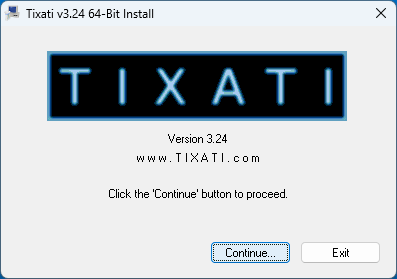
- インストーラが起動したら、[Continue]をクリックします。
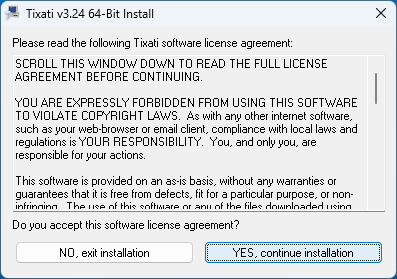
- ライセンスが表示されます。[YES, continue installation]をクリックします。
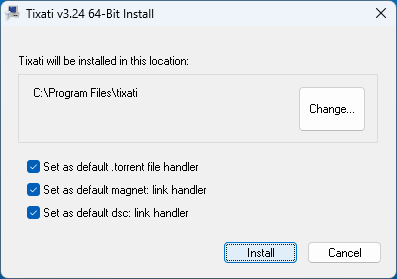
- インストール先とファイルの関連付けを確認して[Install]をクリックします。
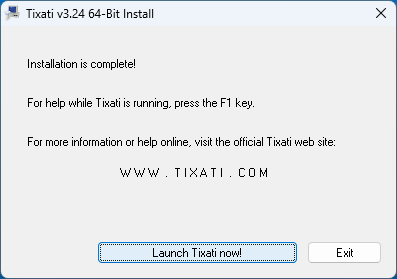
- インストールが完了しました。[Launch Tixati now!]をクリックしてアプリを起動します。
2.起動時の確認画面
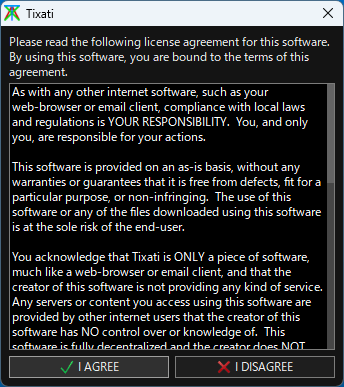
- Tixati を起動すると、ソフトウェアのライセンス情報などが表示されます。[I AGREE]ボタンをクリックします。
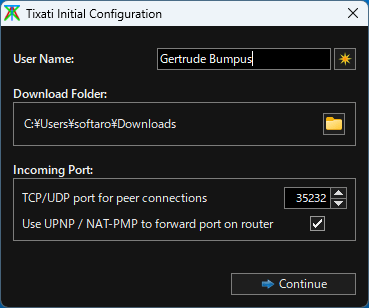
- ユーザー名とダウンロードフォルダ、ポート番号を設定して[Continue]をクリックします。
基本的な使い方
1. 基本的な使い方
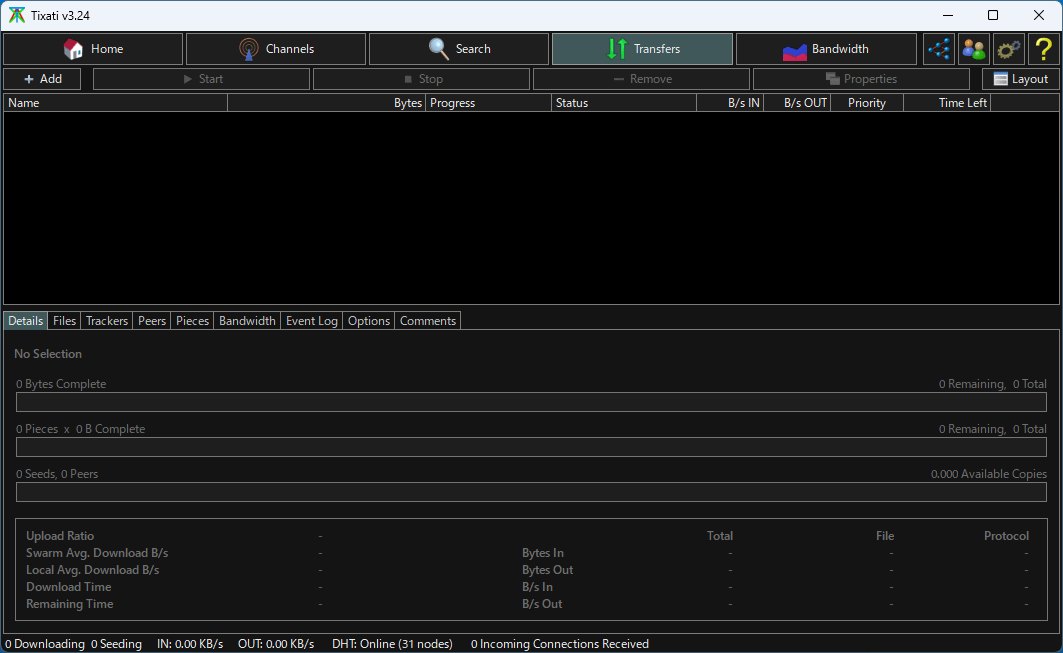
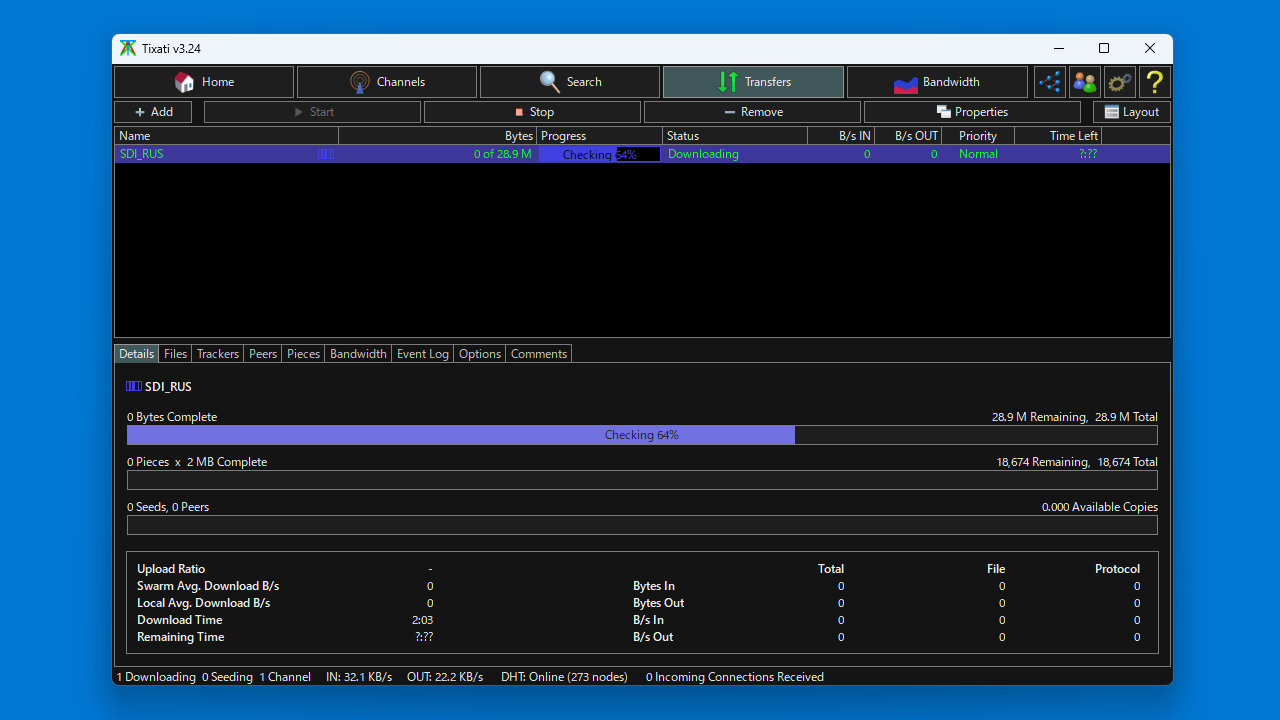
- トレントファイルやマグネットリンクからダウンロードを開始するには、「Transfers」画面の[+ Add]ボタンをクリックします。

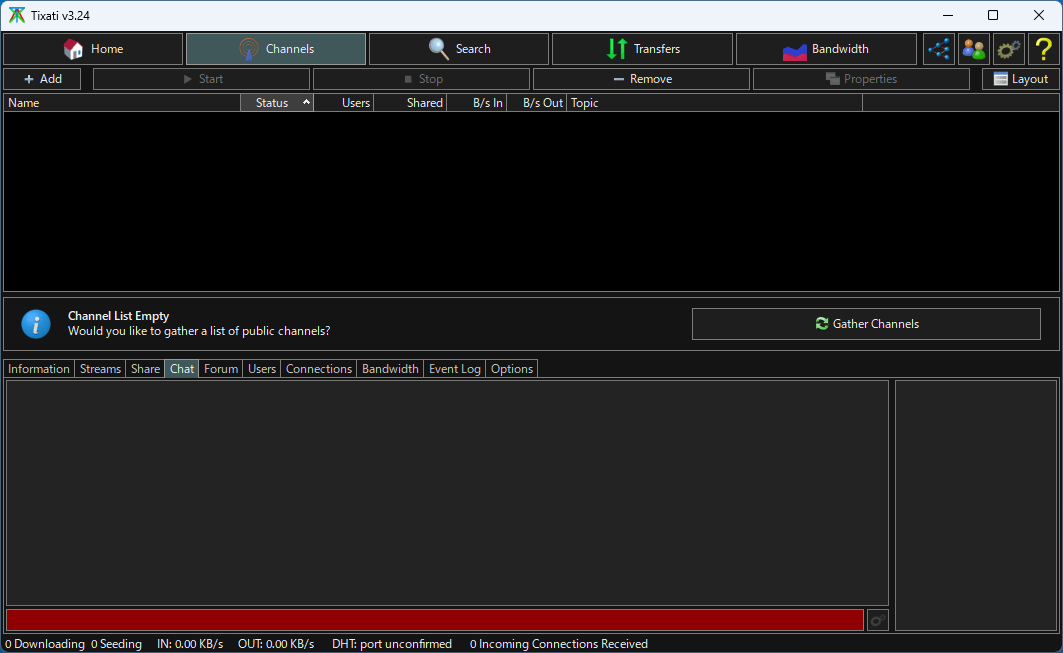
- 「Channels」の[Gather Channels]ボタンをクリックすると、チャンネルの取得ができます。

- チャンネルを取得すると、「Search」画面でファイルの検索ができるようになります。

よくある質問と回答
ライセンスについて。
Tixati は、どなたでも無料で使用できます。